Tool selection
Depth Anything 3 vs DepthCarve: a model or a file you can manufacture?
Depth Anything 3 is a research model that returns floating-point depth arrays. DepthCarve is a hosted workbench that returns a reviewed production bundle. The useful question is not which one is smarter; it is which output your next tool can actually open.
Try the workflow
Put this guide against your own image
The tool below is the same workbench described in this article. Generate a free preview, inspect the source checks, and decide whether the image is worth a production file.
Live manufacturing workbench
Upload a photo. Preview the depth. Download your file.
Three free AI previews per day. Source checks, editing, 3D preview, and compatibility exports are free.

Choose a source image to begin.
Depth Anything 3 and DepthCarve side by side
The table below uses only facts published by the Depth Anything 3 repository and release post, or facts visible in the DepthCarve product itself. Sources and the access date are listed at the end of the guide. Where a category is not comparable, the cell says so instead of forcing a winner.
| Question | Depth Anything 3 | DepthCarve |
|---|---|---|
| What you receive | Float32 depth and confidence arrays, camera intrinsics and extrinsics, plus optional GLB, NPZ, PLY, depth images, and 3DGS exports | Free 8-bit PNG, compatibility 16-bit container, and preview STL; one credit adds raw EXR, verified true 16-bit forward and inverse PNGs, a watertight STL, and a manifest |
| Inputs | Single image, multiple images, or video, with or without known camera poses | One image per workbench or API job; the public API accepts a compressed image data URI up to 1.5 MB |
| Where it runs | Python 3.10 or newer for the app, PyTorch and xFormers, CUDA examples; DA3-Streaming is documented at under 12 GB of GPU memory | A modern browser; no install or GPU |
| Licence | Code Apache-2.0; any-view Giant and Large plus Nested checkpoints CC BY-NC 4.0; any-view Base and Small, Metric, and Monocular checkpoints Apache-2.0 | Commercial hosted service priced in credits; no model weights are distributed |
| Scale | Relative depth from the main checkpoints; DA3METRIC-LARGE computes metric depth as focal times net output divided by 300, and the Nested output is already in metres | Relative depth, not a certified measurement; the relief workflow uses the millimetre dimensions you set and records the assumptions |
| Manufacturing file | Not provided as a contract; a watertight mesh, millimetre scale, and validation record are work you build around the output | Watertight STL with a top surface, side walls, and a bottom face, plus a parameter and validation manifest |
| Price | Free weights and code, plus your hardware, setup time, and operating work | Three free anonymous previews per UTC day; $0.40, $0.26, or about $0.12 per approved job depending on the pack or plan |
| Failure handling | Your pipeline owns retries, storage, and every failed run | A confirmed provider failure returns the credit automatically; a completed estimate you decide not to use does not |
| Best fit | Research, batch pipelines, multi-view reconstruction, video, and teams that already operate GPUs | CNC, laser, lithophane, and 3D-print workflows that need one reviewed file without building a pipeline |
Depth Anything 3 facts: ByteDance-Seed/Depth-Anything-3 repository, README and model table, accessed 21 October 2026. DepthCarve facts: the product's pricing page, job pricing module, and export contract in this repository.
What Depth Anything 3 returns, and what it leaves to you
The reference outputs are arrays, not files aimed at a machine shop. Depth and confidence arrive as float32 tensors shaped number of views by height by width. Extrinsics arrive as a 3 by 4 matrix and intrinsics as a 3 by 3 matrix, in OpenCV world-to-camera or COLMAP format. Export helpers can write GLB, NPZ, depth images, PLY, and 3D Gaussian video. Those are generous formats for a technical user and still not a manufacturing bundle: a depth image is brightness, a GLB is a scene object, and neither is automatically a closed solid with a flat back and a stated thickness.
The licence table matters before you build a business on a checkpoint. The code is Apache-2.0, but the strongest any-view models, Giant and Large, and the Nested model are CC BY-NC 4.0, which restricts commercial use. The Base and Small any-view models, plus the Metric and Monocular models, are Apache-2.0. A shop that wants to sell relief files should read that table before defaulting to the largest checkpoint, and should keep the model name and version in its own records. This is not a legal opinion; it is a reason to check the repository's licence column rather than the repository's headline badge.
Hardware is the second hidden line item. The project documents Python, PyTorch, and xFormers, shows CUDA examples, and flags older GPUs without xFormers support. It states that DA3-Streaming can handle very long video with under 12 GB of GPU memory through sliding-window inference; it does not publish a general minimum for every model. A one-off relief from a family photo does not need a new GPU, which is exactly the gap a hosted workbench fills. A team already running inference for other products has already paid that fixed cost.
Finally, the repository is young and moving. The initial release was 14 November 2025. New models and DA3-Streaming arrived on 11 December 2025, and the project notes that the 1.1 checkpoints were retrained after a training bug while the original Nested and Giant and Large checkpoints remain available but deprecated. Pinning a version and testing an upgrade is part of operating the model, not an optional chore.
Where a production file adds real work
Turning a depth array into something a CNC or slicer accepts involves four jobs that a model does not do for you. First, encoding: a float field has to become a file the next program reads, and a 16-bit PNG has to be verified as true 16-bit rather than an 8-bit preview moved into a larger container. Second, geometry: the depth field has to become a mesh with a top surface, side walls, and a bottom face, or the slicer will complain about a surface with no thickness. Third, scale: the mesh needs millimetre dimensions and a base thickness that matches the material. Fourth, provenance: the job needs a record of the source, settings, dimensions, and checks so a revision is reproducible.
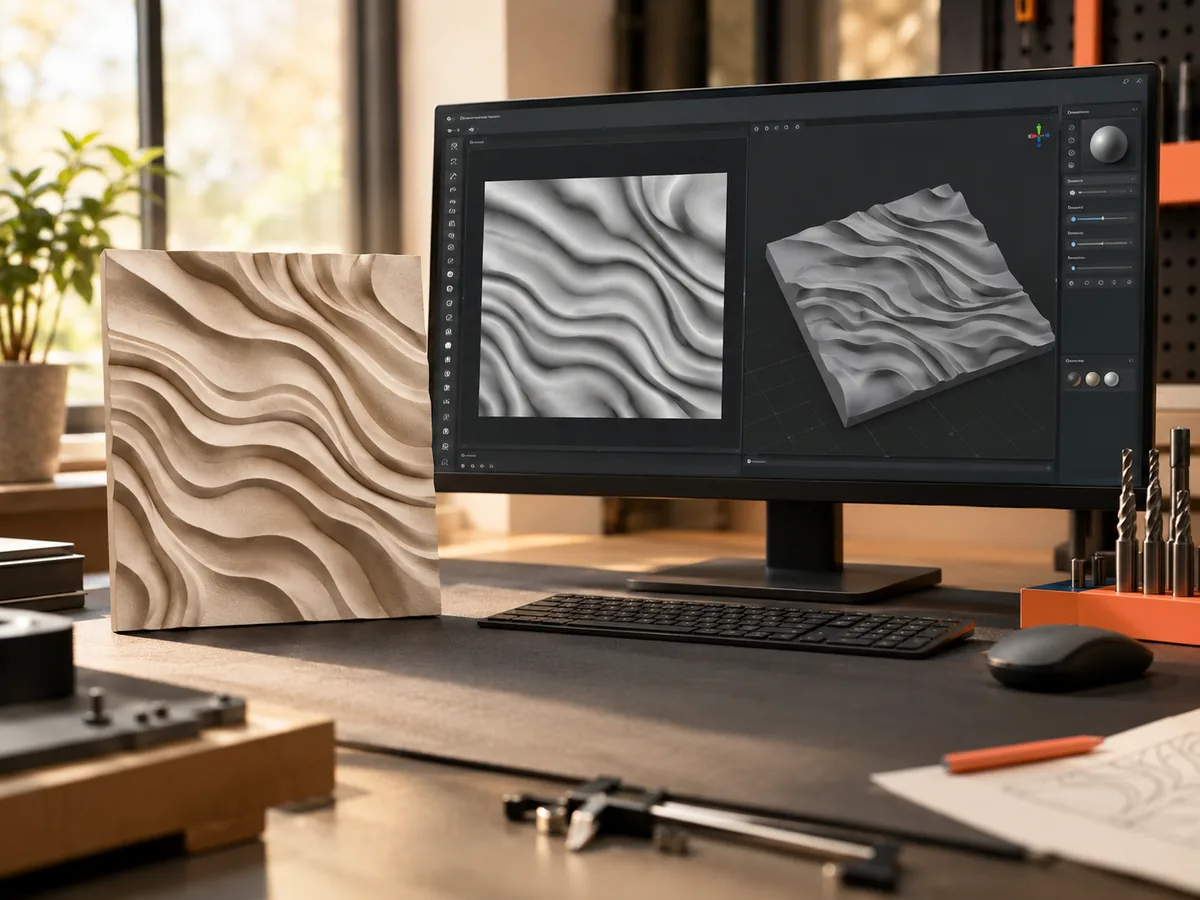
DepthCarve's production bundle is organised around those four jobs. The free tier exists so the expensive decision, whether this photograph can become a usable relief at all, happens before a credit is spent. The workbench inspects source contrast, edge detail, clutter, and resolution; it shows the estimate beside the original; it lets you move the black and white points without another model call; and it exports an 8-bit PNG plus a preview STL that open in the real program. One credit then re-encodes from raw float depth and adds the verified 16-bit pair, the watertight STL, and the manifest.
This is also the honest limit of the hosted path. DepthCarve processes one image per job. It does not reconstruct multiple views, estimate camera poses, produce Gaussian splats, or run video. It does not generate G-code or universal laser settings, and it does not claim metric truth from a single photograph. If your task is multi-view reconstruction or a research benchmark, the open model is the right tool and this workbench is the wrong one.
Cost, hardware, and the honest break-even
Depth Anything 3 is free to download, but free is not the same as costless. The real cost is a GPU, a Python environment, model downloads, storage, retries, and the engineering time to keep all of it working. If you already own that stack, the marginal cost of another inference is close to zero, and self-hosting can be the cheaper path at volume. If you do not, a hosted job at $0.12 to $0.40 avoids buying and operating hardware for an occasional relief.
DepthCarve's public prices are simple to compare because one credit equals one approved production job. The Maker pack is $12 for 30 credits, which is $0.40 per job. The Shop pack is $39 for 150 credits, which is $0.26 per job. The Workshop plan is $29 per month for 250 credits, about $0.12 per job, and the Production plan is $99 per month for 1,500 credits with server-side API access at 60 requests per minute. Free anonymous previews are limited to three per UTC day. The comparison that matters is cost per successful, usable file, not cost per model call.
There is a second cost that does not appear on either price list: the cost of a bad blank. A relief cut into expensive hardwood or a lithophane printed overnight can waste more material than a month of either option. That is why the free preview and the compatibility 16-bit file matter more than a leaderboard. A cheap model with no review step can be the most expensive choice in the workshop.
Who should use which
Use Depth Anything 3 if you are comfortable in Python, you have a CUDA-capable machine or a cloud GPU, and your output is data rather than a manufactured part. It is the stronger choice for multi-view reconstruction, video, camera pose estimation, Gaussian splatting, and any pipeline where you want to own the model, the version, and the post-processing. It is also the right starting point if you intend to build your own product around depth estimation and need to control the whole stack.
Use DepthCarve if your next step is a CNC toolpath, a laser job, a lithophane print, or a client file, and you do not want to assemble a Python pipeline first. It is the better fit for one-off photographs, small shops, and anyone who needs a watertight STL, a verified 16-bit pair, and a manifest without owning a GPU. It is also the better fit when you want a refund rule for provider failure and a preview that lets you reject a bad source before paying.
Neither is for someone who expects one photograph to become a full 3D object. A single view cannot recover the back of a head, the inside of a cup, or the side of a building. Depth Anything 3 can use multiple views to reconstruct more of a scene; DepthCarve deliberately stays with the single-image relief case. If the job needs hidden surfaces, a scan or a sculpt is the honest answer.
A 20-minute comparison on your own photograph
Pick a photo you would actually use: a portrait for a lithophane, a pet for a memorial plaque, or a product shot for a sign. Run it through the official Depth Anything 3 demo or your local install, and export the depth representation. Then open the DepthCarve workbench, upload the same image, and compare the estimate with the original using the slider. Do not judge the grayscale thumbnail alone; check object order, the subject boundary, hair, jewelry, and the background.
Next, inspect what each path gives you. In the open-model path, confirm the array shape, the confidence map, and whether you have a metric or relative output. In the workbench, download the free 8-bit PNG and the preview STL, then open both in the program that will actually make the part. If the preview mesh imports and the direction is correct, the remaining question is whether you need the paid bundle. If it does not, no model upgrade will save the job.
Finally, write down the real cost of each route for your volume. Include your time, the GPU or cloud spend, the failed runs, and the material you would waste on a bad file. That number, not a benchmark table, decides which tool belongs in your workflow.
What this page does not claim
This page does not claim that DepthCarve produces better depth than Depth Anything 3. We have not run a controlled head-to-head benchmark, and we will not invent one. Model quality depends on the photograph, the checkpoint, the input resolution, and the post-processing. The repository publishes its own results; our measured cases show where a single-image estimate fails on busy backgrounds and hard shadows. Both are reasons to test with your own source.
This page also does not claim that a hosted file is always worth paying for. If you already have the model running, the open path can produce excellent depth for free. The paid bundle buys packaging, verification, and a refund boundary, not a different neural network. Readers who only need a grayscale map should use the free tier or the open model and keep their money.
Sources, accessed 21 October 2026: the Depth Anything 3 repository at github.com/ByteDance-Seed/Depth-Anything-3, the ByteDance Seed release post at seed.bytedance.com, and the official demo space at huggingface.co/spaces/depth-anything/Depth-Anything-3. DepthCarve facts come from this site's pricing page, its job-pricing module, and its published export contract. Model licences and features can change; check the repository before relying on a specific checkpoint.
Before the file moves forward
Final checklist
- You know whether you need a depth array or a manufacturing file.
- You checked the licence of the exact checkpoint you plan to use commercially.
- You have the GPU, Python environment, and storage the model path requires.
- You compared the estimate with the original photo, not only the grayscale output.
- The 16-bit file was verified as true 16-bit, not an upconverted 8-bit preview.
- The mesh is watertight, scaled in millimetres, and opens in your CAM or slicer.
- You counted failed runs, hardware, and material waste in the cost per usable file.
Straight answers
Questions this workflow raises
Is Depth Anything 3 free?
The code is Apache-2.0 and the weights can be downloaded at no charge, but the licences differ by checkpoint. Any-view Giant and Large and the Nested model are CC BY-NC 4.0, which restricts commercial use. Any-view Base and Small, Metric, and Monocular models are Apache-2.0. Free to download is not the same as free for commercial use.
Does Depth Anything 3 output a 16-bit depth map?
The reference outputs are float32 depth arrays, and the repository also provides depth image exports. Turning that field into a verified 16-bit PNG is a step you own, including checking that the file contains more than 256 meaningful levels. DepthCarve's production bundle encodes forward and inverse true 16-bit PNGs from raw float depth and records the verification in its manifest.
Can I use Depth Anything 3 directly for CNC relief?
You can use its depth as a starting point, but the model does not return a watertight solid in millimetres. You still need to build a mesh with a top surface, side walls, and a bottom face, scale it, choose a base thickness, and prepare CAM. DepthCarve performs that packaging step and returns a watertight STL with a manifest.
Is DepthCarve a metric depth measurement?
No. DepthCarve produces relative depth from one image. For relief work you set the physical dimensions and base thickness, and the bundle records those assumptions. It is not a certified scan and it cannot measure a scene in metres from a single photograph.
Which is better for a multi-view or video project?
Depth Anything 3. It accepts multiple images and video, estimates camera poses, and can export point clouds, meshes, and Gaussian representations. DepthCarve processes one image per job and deliberately stays with the single-image relief case, so it is the wrong tool for reconstruction from many views.
Do I need a GPU to use Depth Anything 3?
The documented setup uses Python, PyTorch, xFormers, and CUDA examples, and flags older GPUs without xFormers support. The repository documents under 12 GB of GPU memory for DA3-Streaming rather than a general minimum. If you do not want to operate that stack, a browser workbench avoids it.
What happens if a DepthCarve provider fails?
A confirmed provider failure returns the credit automatically, and retries are designed not to charge twice. A completed estimate that you decide is unsuitable for the material is not a technical failure and is not refunded, which is why the free preview exists before the paid approval.