01
Memorial gift makers
Give a grieving customer a proof before a one-off plaque is cut.
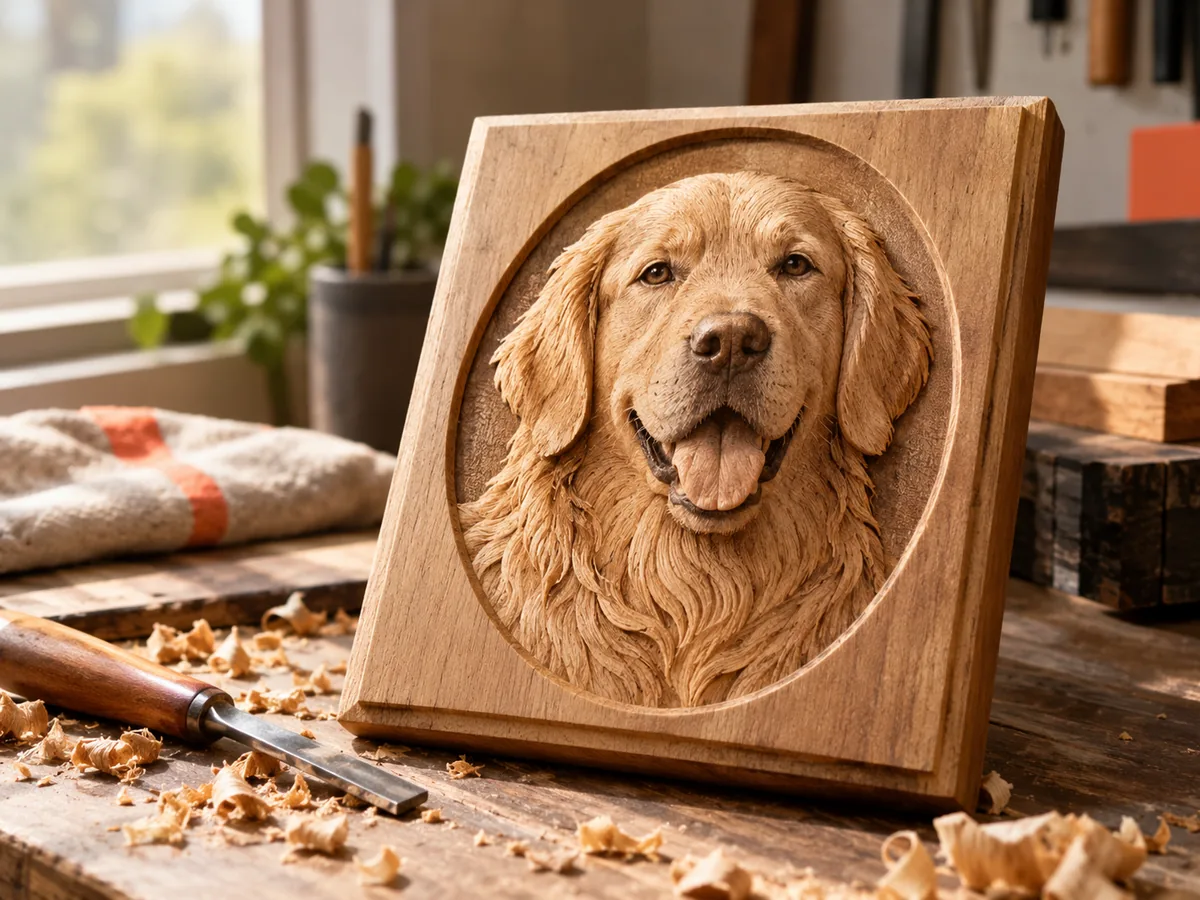
Pet memorial plaque
Keep the ears, muzzle, and familiar outline readable. Review the depth and silhouette, set a plaque size, and download a free preview before a memorial order goes to the machine.
Three free AI previews per day · no account to try · one credit unlocks the production bundle
Live manufacturing workbench
Three free AI previews per day. Source checks, editing, 3D preview, and compatibility exports are free.

Choose a source image to begin.
Real work, real failure cost
The useful product is not the model call. It is the review loop that catches a reversed field, a noisy border, or an impossible relief before the next tool turns that mistake into wasted time.
01
Give a grieving customer a proof before a one-off plaque is cut.
02
Quote a pet memorial with a repeatable size and relief recipe.
03
Prepare a personal file without learning a full 3D modeling suite.
01
The most recognizable part of a pet is usually the silhouette: ear shape, muzzle length, the set of the eyes. Choose a photo with those features visible and evenly lit. A black cat on a dark sofa or a white dog against a bright window is harder than a mid-tone animal against a simple background, because the depth estimate has less structure to work with.
Crop out toys, furniture, and other animals that should not become part of the plaque. If the pet is lying down, decide whether the whole body belongs in the frame or only the head and shoulders. A head-and-shoulders plaque is easier to read and easier to machine than a full-body scene with thin legs and a tail.
02
The workbench produces a rectangular height-field plaque: a raised top surface, side walls, and a flat back. It does not add a name, a dates panel, a bone-shaped outline, a hanging hole, or a stand. Those features belong in a model editor, where you can check that they join the plaque and do not create unsupported overhangs.
If the plaque will be a wall piece, plan the hanging feature before the final cut. If it will sit on a shelf, design a base or a stand separately. A memorial object often needs both a visual proof and a physical sample; the free preview handles the first, and a scrap test handles the second.
03
Fur is not a collection of isolated hairs at plaque scale. It is a set of soft transitions and a silhouette. Two smoothing passes and a gentle curve usually produce a more recognizable pet than maximum contrast. Fine whiskers and individual eyelashes can become fragile ridges or disappear entirely in the material; simplify them deliberately.
Set a relief height that suits the material. A small 100 mm plaque often reads well at 4-6 mm of relief over a 2-3 mm base. A larger plaque can carry more height, but the tool and the stock have to support it. Inspect the side view for cliffs around the ears and muzzle, and lower the relief height if the geometry becomes vertical.
04
A memorial plaque is emotionally expensive even when the material is cheap. Show the customer the free 2D and 3D preview before you approve the paid production bundle. Ask specifically about the eyes, the ear shape, and the crop. A customer who is grieving may not notice a bad crop until the plaque is finished, and that is the wrong time to discover it.
Keep the original photo, the exported file, and the parameters together. If the customer asks for a revision, start from the same source and the same settings so the comparison is meaningful. The workbench does not guarantee a likeness, and it cannot recover a pet's hidden side; it gives you a reviewable interpretation that the customer can approve or reject.
Five bounded stages
Check source contrast, edge detail, border clutter, and resolution before an AI call is trusted.
Adjust the subject mask, background, curve, detail, smoothing, taper, frame, and real dimensions for free.
Compare beam or tool size, tonal slices, slope, base, manifold topology, and bounding box with the real setup.
Approve one successful production job only after the free 2D and 3D previews earn acceptance.
Download one verified ZIP and inspect it in LightBurn, CAM, or a slicer before committing production material.
Choose by next action
| Output | Use it for | It does not guarantee | Cost |
|---|---|---|---|
| 8-bit PNG | Preview, mask, laser and compositing tests | Physical scale or machine settings | Free |
| Compatible 16-bit PNG | Compatibility with grayscale depth workflows | Additional source precision | Free |
| Preview STL | Low-cost scale and import checks | Printability, tool reach, or safe G-code | Free |
| Production job bundle | Raw EXR, true 16-bit pair, STL, preview and manifest | Hidden surfaces or certified metric truth | 1 credit |
Straight answers
Yes, but choose even lighting and inspect the result carefully. Dark fur can collapse into a flat area. Use the black and white points and check the eyes, ears, and muzzle in the 3D preview before approving.
No. The workbench creates the photo relief only. Add lettering in a model editor, keep it shallow, and check that the letters join the plaque before machining or printing.
The preview, range controls, 8-bit PNG, and low-resolution STL are free. The raw-float production bundle costs one credit; a new account starts with one credit.
The relief STL is built with a top surface, side walls, and a bottom face. You should still inspect it in your slicer or mesh validator, especially after adding text or a hanging feature.
Preview the idea. Pay for usable output.
Start without an account. When a professional format earns approval, use the welcome credit or choose a pack that matches the shop's workload.