01
Stone carvers
Reject a fragile design before a block is committed.
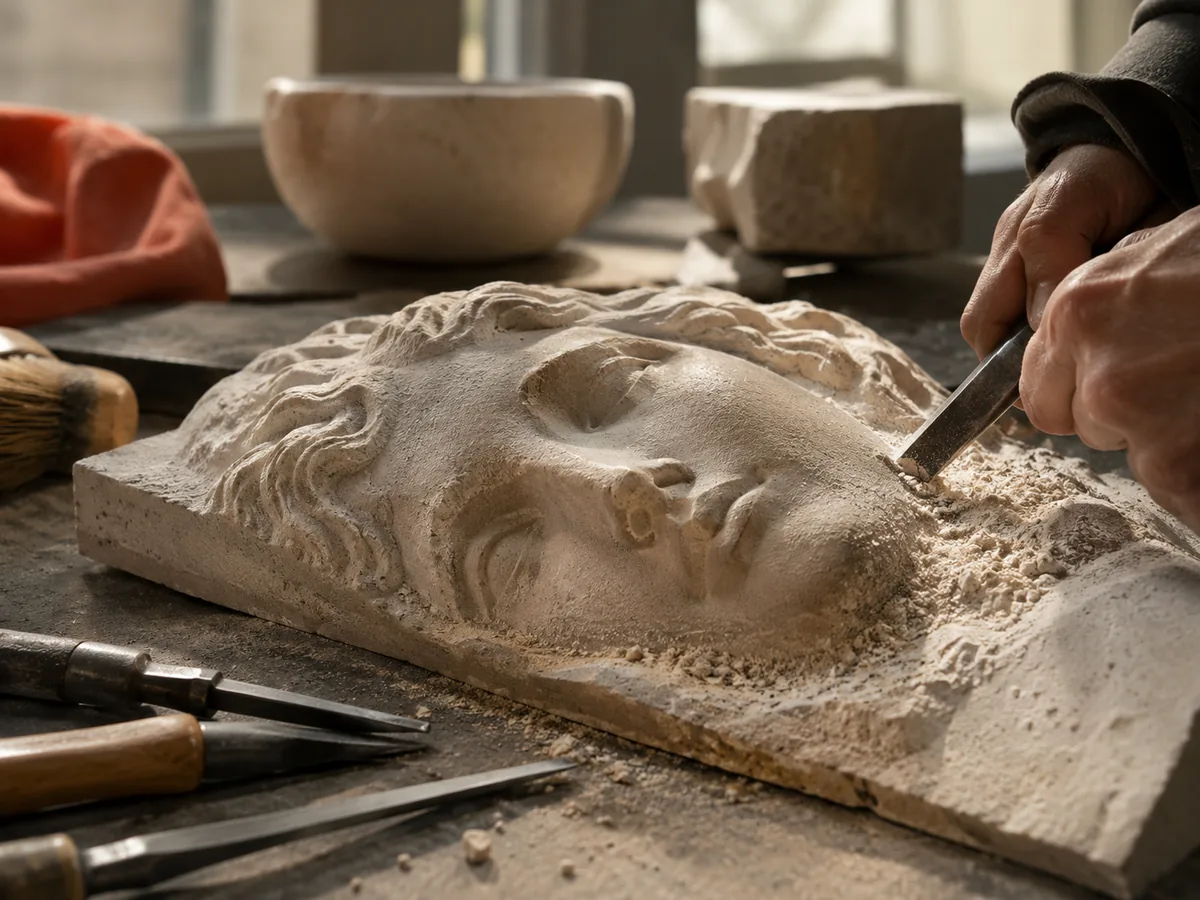
Stone relief carving
Plan the relief before a heavy, expensive stone is on the bed. Review the depth, keep the form shallow, and test the geometry in your CAM package.
Three free AI previews per day · no account to try · one credit unlocks the production bundle
Live manufacturing workbench
Three free AI previews per day. Source checks, editing, 3D preview, and compatibility exports are free.

Choose a source image to begin.
Real work, real failure cost
The useful product is not the model call. It is the review loop that catches a reversed field, a noisy border, or an impossible relief before the next tool turns that mistake into wasted time.
01
Reject a fragile design before a block is committed.
02
Prepare a height field that suits the tool and the material.
03
Turn a reference photo into a reviewable relief study.
01
Stone is heavy, brittle, and unforgiving. A deep relief with thin bridges and vertical walls can chip, break, or become impossible to undercut. A shallow relief with broad planes and gradual transitions is more likely to survive the tool and the material. The preview should be judged for those qualities, not just for likeness.
Choose a subject with a strong silhouette: a portrait, an architectural detail, a leaf, or a simple animal form. Fine hair, wire, and isolated small features are poor candidates because they require thin stone. If the subject depends on those details, a different material or a different process is a better fit.
02
The exported STL is a closed height-field slab, but it is not a toolpath. Stone carving requires a CAM strategy that accounts for the cutter, the spindle, the feed, the stepdown, the fixturing, and the dust or water management. The workbench gives you a shape to inspect; your CAM package and your experience decide how to remove the material.
Do not send the STL to a machine without checking the scale, the orientation, and the mounting. A stone blank is not a piece of foam; a wrong origin or a loose fixture can ruin the block and damage the tool. Test the setup on an offcut before the final stone.
03
A photo with a clear subject and a quiet background produces a cleaner relief. A busy scene with many overlapping objects produces a field of small transitions that stone cannot resolve. Crop to the form you want, remove distractions, and keep the border stable.
If the source is a portrait, inspect the eyes, nose, and mouth at the final size. Stone can hold a surprising amount of detail, but only if the tool can reach it and the material can support it. A softer, broader interpretation is often more durable than a literal copy.
04
Use the same stone, the same tool, and the same setup for the test. Carve a small area that includes the deepest cut, the finest detail, and the steepest slope. If the test chips or the tool chatters, change the design or the process before the final block. The free preview is a visual check; the offcut is the physical check.
Record the file, the stone, the tool, and the settings. Stone is expensive enough that a repeat job should not depend on memory. The workbench gives you a documented starting geometry; the carving record is yours.
Five bounded stages
Check source contrast, edge detail, border clutter, and resolution before an AI call is trusted.
Adjust the subject mask, background, curve, detail, smoothing, taper, frame, and real dimensions for free.
Compare beam or tool size, tonal slices, slope, base, manifold topology, and bounding box with the real setup.
Approve one successful production job only after the free 2D and 3D previews earn acceptance.
Download one verified ZIP and inspect it in LightBurn, CAM, or a slicer before committing production material.
Choose by next action
| Output | Use it for | It does not guarantee | Cost |
|---|---|---|---|
| 8-bit PNG | Preview, mask, laser and compositing tests | Physical scale or machine settings | Free |
| Compatible 16-bit PNG | Compatibility with grayscale depth workflows | Additional source precision | Free |
| Preview STL | Low-cost scale and import checks | Printability, tool reach, or safe G-code | Free |
| Production job bundle | Raw EXR, true 16-bit pair, STL, preview and manifest | Hidden surfaces or certified metric truth | 1 credit |
Straight answers
The workflow is material-agnostic, but the carving strategy is not. Limestone, sandstone, marble, and soapstone behave differently. Test the actual stone with the actual tool before the final piece.
No. It exports a relief STL. You choose the CAM strategy, tool, feeds, speeds, and fixturing for the stone and the machine.
Start shallow and stay broad. The correct depth depends on the stone, the tool, and the size. A small test cut is more useful than a universal number.
Yes. You can inspect the depth, flatten the range, and download an 8-bit PNG and a preview STL before paying. The raw-float production bundle costs one credit.
Preview the idea. Pay for usable output.
Start without an account. When a professional format earns approval, use the welcome credit or choose a pack that matches the shop's workload.