01
3D artists
Create a quick height reference from a photo before sculpting.
Bump map generator
Estimate a grayscale height field from one image, compare it with the source, and export a free PNG for rendering or a preview STL for a physical test.
Three free AI previews per day · no account to try · one credit unlocks the production bundle
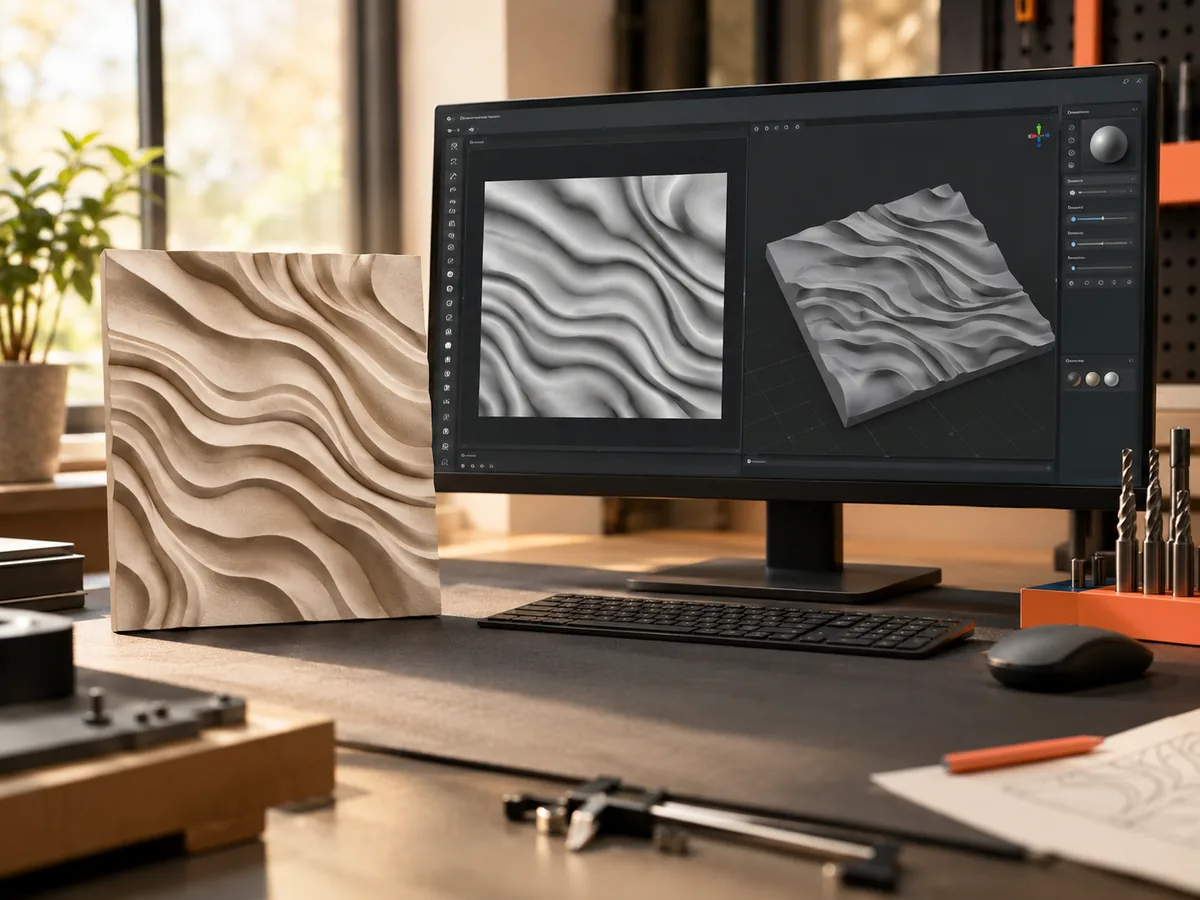
Live manufacturing workbench
Three free AI previews per day. Source checks, editing, 3D preview, and compatibility exports are free.

Choose a source image to begin.
Free browser converter
Brightness is treated as height. The file stays in your browser; nothing is uploaded. Use the workbench above when you want the height field estimated from a photograph instead.
A luminance-derived normal map invents surface direction from brightness. It is useful for height maps and quick material tests, not for recovering geometry that the image never recorded. Read the normal map workflow guide before shipping a map to a shader.
Real work, real failure cost
The useful product is not the model call. It is the review loop that catches a reversed field, a noisy border, or an impossible relief before the next tool turns that mistake into wasted time.
01
Create a quick height reference from a photo before sculpting.
02
Compare bump and normal maps for a look-development test.
03
Move from a grayscale field to a physical relief preview.
01
A bump map is a grayscale height field: light and dark values describe how high or low a surface point is. A normal map stores surface direction as RGB vectors, which is what a renderer uses for lighting. A depth map stores distance from a camera. They can look similar on screen, but they answer different questions and feed different tools.
DepthCarve starts from a photo and estimates relative depth. You can use that field as a bump map, convert it into a normal map, or export a relief STL. The important word is relative: the result is an interpretation, not a measured surface. A photo of a face is not a scan of the face.
02
Lighting, shadows, and color can all be mistaken for shape. A hard shadow beside a nose may become a ridge; a bright forehead may become a plateau. Inspect the map against the source and look for a halo along a silhouette or a background that has crept into the subject range. Those are source problems, not settings.
Crop to the object you care about and remove distracting background. If the photo has a strong directional light, compare the result with a second photo of the same subject under softer light. If the two maps disagree, the model is guessing from the lighting rather than the form.
03
The embedded normal map tool converts a height field into a surface-direction map for rendering. Use it when the next application expects tangent-space normals rather than a grayscale bump. Check the strength and the Y direction in the target renderer; different engines interpret the green channel differently.
For a quick look-development test, compare the bump map and the normal map on the same plane under the same light. If the normal map looks inverted, flip the green channel or use the inverse export. Do not assume the convention; verify it in the software that will render the final asset.
04
A renderer may want an 8-bit PNG, a 16-bit PNG, or a normal map. A CNC package may want a height map or an STL. Choose the output after you know the consumer. The free 8-bit PNG is enough for a first test; the true 16-bit PNG is for a pipeline that can resolve more levels; the STL is for a physical preview.
No output is a measurement. A bump map from one photo can be useful for a stylized surface, a quick mask, or a relief study, but it cannot certify a dimension or a safety-critical shape. Treat it as a starting point and verify the result in the tool that will use it.
Five bounded stages
Check source contrast, edge detail, border clutter, and resolution before an AI call is trusted.
Adjust the subject mask, background, curve, detail, smoothing, taper, frame, and real dimensions for free.
Compare beam or tool size, tonal slices, slope, base, manifold topology, and bounding box with the real setup.
Approve one successful production job only after the free 2D and 3D previews earn acceptance.
Download one verified ZIP and inspect it in LightBurn, CAM, or a slicer before committing production material.
Choose by next action
| Output | Use it for | It does not guarantee | Cost |
|---|---|---|---|
| 8-bit PNG | Preview, mask, laser and compositing tests | Physical scale or machine settings | Free |
| Compatible 16-bit PNG | Compatibility with grayscale depth workflows | Additional source precision | Free |
| Preview STL | Low-cost scale and import checks | Printability, tool reach, or safe G-code | Free |
| Production job bundle | Raw EXR, true 16-bit pair, STL, preview and manifest | Hidden surfaces or certified metric truth | 1 credit |
Straight answers
No. A bump map stores height as grayscale; a normal map stores surface direction as RGB. Some renderers accept both, but they are not interchangeable files.
Yes. The normal map tool is embedded on this page and also has a dedicated page. It converts a height field into a tangent-space normal map for rendering.
The preview, range controls, 8-bit PNG, and low-resolution STL are free. The raw-float production bundle with true 16-bit PNGs costs one credit.
Yes, as a relief preview. The STL is a closed height-field slab; inspect it in your slicer and add any holes, frames, or lettering in a model editor.
Preview the idea. Pay for usable output.
Start without an account. When a professional format earns approval, use the welcome credit or choose a pack that matches the shop's workload.