Recommended Laser Slice Budget
160 passes
Sweet spot (64–256 passes)
Run a high-frequency cleanup pass every 12 slices
3D Brass Coin · Galvo Fiber Laser Workflow
Engraving 40 mm C36000 or H62 brass coin blanks exposes every flaw in an ordinary 8-bit photo conversion. Separate lighting from true relief elevation, pin the coin field to a flat floor, verify your 64–256 pass budget, and unlock forward + inverse true 16-bit PNGs for 1 credit.
Three free AI previews per day · no account to try · 1 credit unlocks raw EXR, true 16-bit PNGs & STL ($12 / 30 credits)
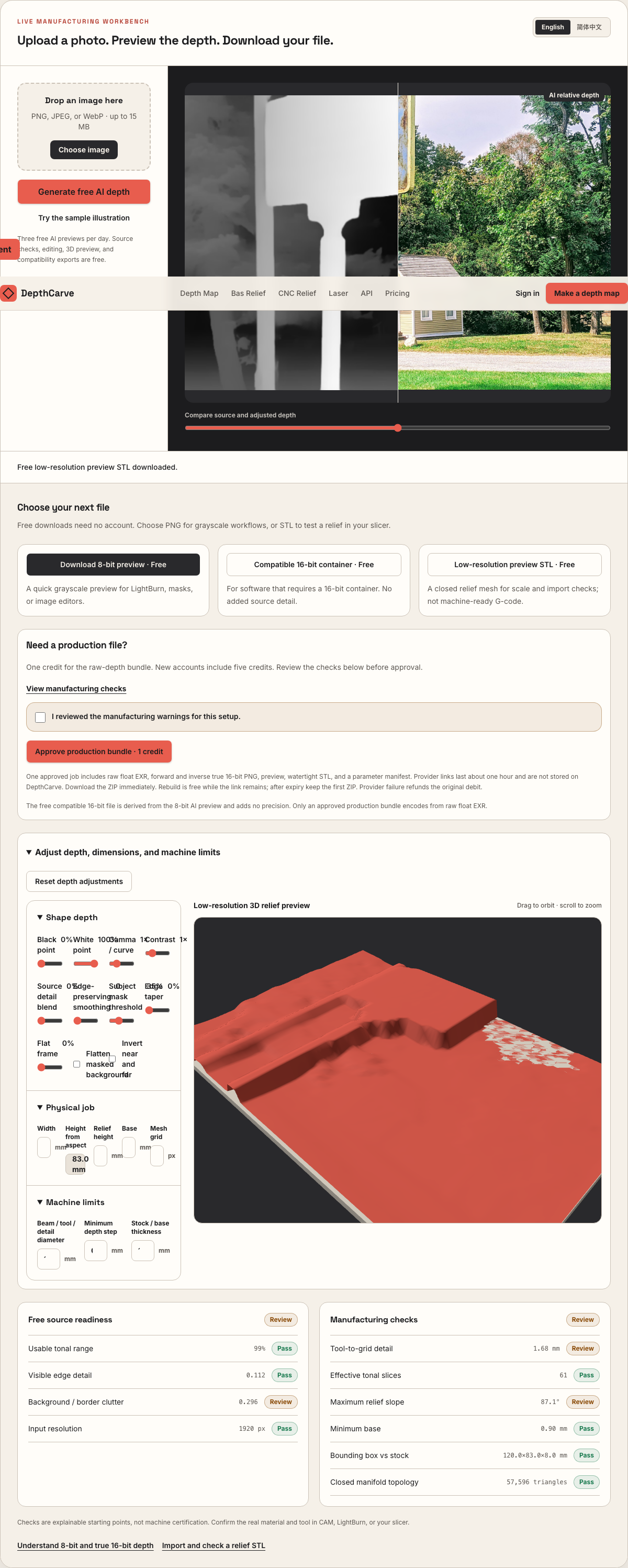
Live manufacturing workbench
Three free AI previews per day. Source checks, editing, 3D preview, and compatibility exports are free.
What happens to an ordinary photo (no login required):
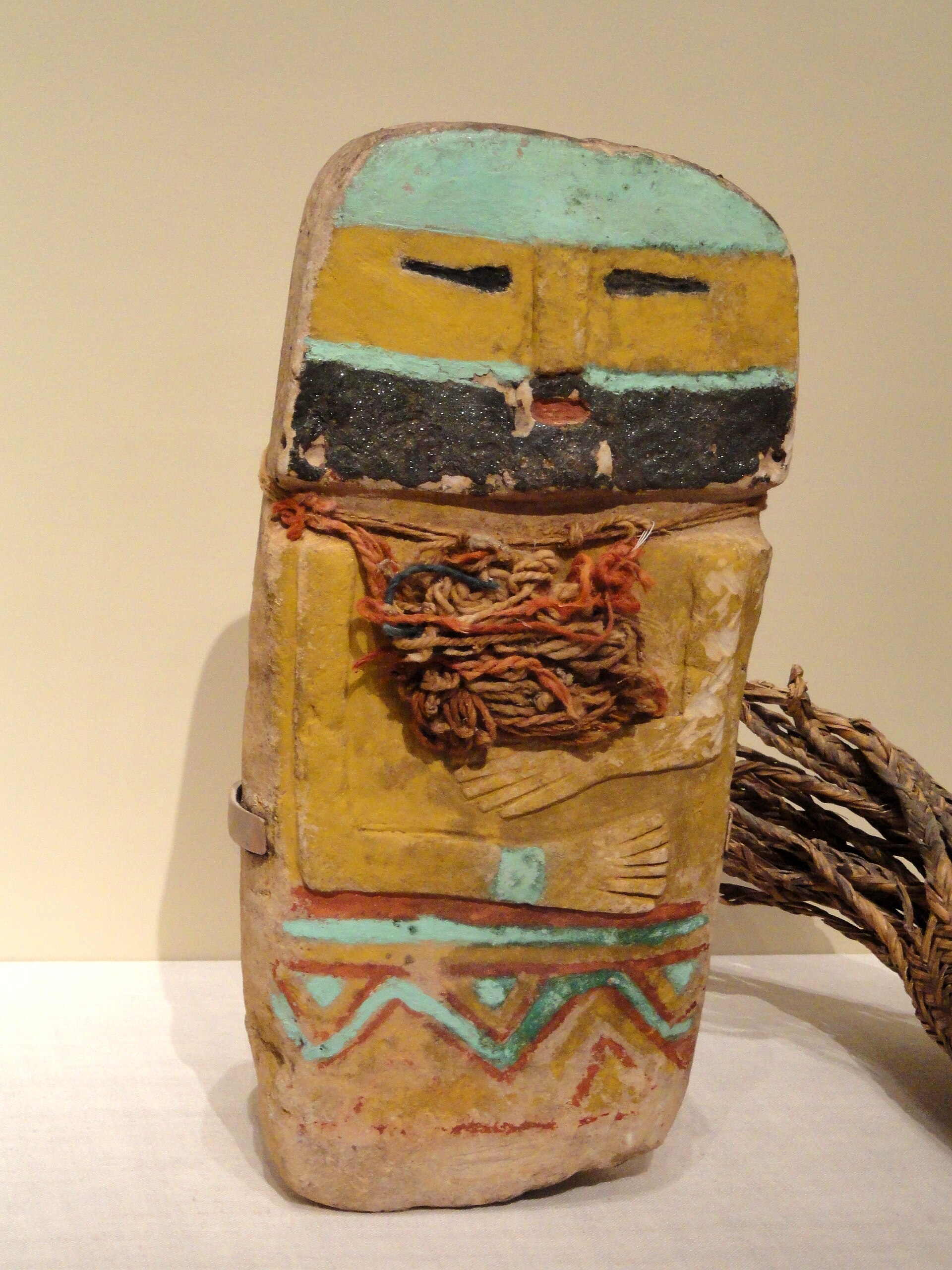
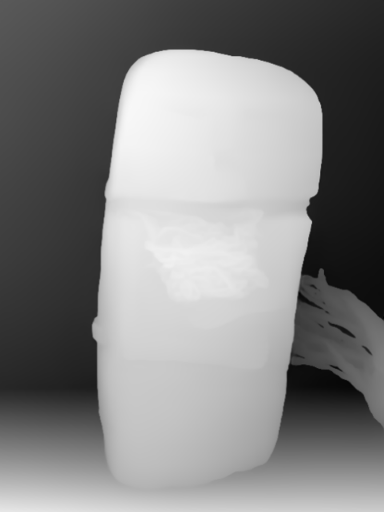
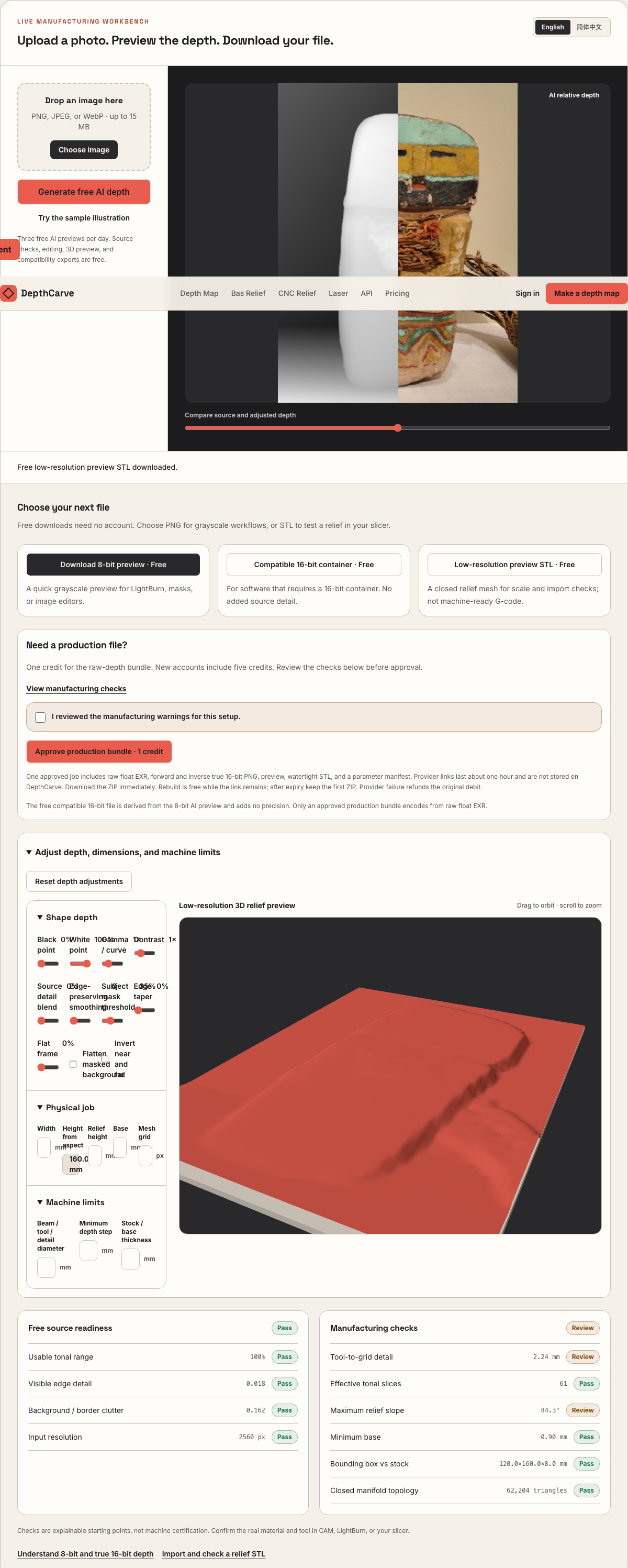
Camera shadows get separated from true 3D height—ready for CNC ball-nose finishing, LightBurn 3D Sliced laser, or resin/FDM printing.
Choose a source image to begin.
Interactive Pre-Purchase Helper · Zero API Cost
Select your fiber laser coin, CNC router sign, or 16-bit sculpting setup to calculate optimal 64–256 laser passes, ball-nose stepover, and true 16-bit vs 8-bit micron steps before spending a credit.
160 passes
Sweet spot (64–256 passes)
Run a high-frequency cleanup pass every 12 slices
True 16-Bit PNG Essential (65,536 levels)
8-bit: 3.8 µm/step vs True 16-bit: 0.015 µm/step (19,662 vs 78 ramp levels)
LightBurn 2.1+ 3D Sliced & EZCAD3 (Forward + Inverse 16-Bit PNG)
3 free/day · 1 credit/ZIP ($12 / 30 = $0.40 · $39 / 150 = $0.26)
3 free AI previews/day (no login) · 1 credit per Production ZIP ($0.40/job on $12 / 30-credit Maker Pack · $0.26/job on $39 / 150-credit Shop Pack)
Pure geometry & quantization calculator. Always verify Z direction, simulate toolpaths, and test scrap before production.
Real work, real failure cost
The useful product is not the model call. It is the review loop that catches a reversed field, a noisy border, or an impossible relief before the next tool turns that mistake into wasted time.
01
Turn portraits, mascots, and unit crests into deep-relief 40 mm–50 mm brass blanks without hand-sculpting ZBrush meshes.
02
Feed continuous 16-bit elevation ramps into LightBurn 2.1+ 3D Sliced and EZCAD3 without 8-bit contour rings.
03
Use the included inverse true 16-bit heightmap directly for recessed intaglio dies and embossing stamps.
01
Polished and wire-brushed brass reflects raking light mercilessly. When a portrait cheek, eagle wing, or shield bevel occupies 30% of the tonal range in an 8-bit PNG, fewer than 80 discrete gray steps span the entire curve. Across a 160-pass galvo cycle in LightBurn 3D Sliced or EZCAD3, pairs of passes lock onto identical thresholds and ablate concentric topographic shelves.
DepthCarve lets you validate composition and depth polarity for free using 3 daily AI previews, then encodes approved 1-credit Production ZIPs directly from the 32-bit float EXR into verified 65,536-level forward and inverse 16-bit PNGs—shrinking Z quantization steps below 0.02 microns on a 1 mm deep coin.
02
Every stray background gradient behind a subject wastes galvo scan time and leaves uneven dark oxide across the coin floor. Before exporting to LightBurn or EZCAD, use the workbench's subject mask threshold, background flattening, and edge taper sliders to clamp the field to a clean reference plane.
Use the Laser Slice & CNC Relief Readiness Checker on this page to match your target relief depth (typically 0.6 mm to 1.2 mm on 3 mm–4 mm brass blanks) against per-pass ablation rate (4–8 µm/pass on 30W–60W fiber setups) and schedule periodic high-frequency cleanup passes.
03
Monocular depth estimation excels at organic portraits, emblems, animals, and architectural subjects, whereas crisp circular rims, rope borders, and 1 mm micro-typography belong as native vectors in LightBurn, EZCAD, or Illustrator.
Combine DepthCarve's smooth 16-bit center relief with sharp vector outer rings inside your laser project, verify Z polarity on a brass test coupon first, and remember that DepthCarve never outputs machine power, kHz pulse frequency, or hatch speed settings.
Five bounded stages
Check source contrast, edge detail, border clutter, and resolution before an AI call is trusted.
Adjust the subject mask, background, curve, detail, smoothing, taper, frame, and real dimensions for free.
Compare beam or tool size, tonal slices, slope, base, manifold topology, and bounding box with the real setup.
Approve one successful production job only after the free 2D and 3D previews earn acceptance.
Download one verified ZIP and inspect it in LightBurn, CAM, or a slicer before committing production material.
Choose by next action
| Output | Use it for | It does not guarantee | Cost |
|---|---|---|---|
| 8-bit PNG | Preview, mask, laser and compositing tests | Physical scale or machine settings | Free |
| Compatible 16-bit PNG | Compatibility with grayscale depth workflows | Additional source precision | Free |
| Preview STL | Low-cost scale and import checks | Printability, tool reach, or safe G-code | Free |
| Production job bundle | Raw EXR, true 16-bit pair, STL, preview and manifest | Hidden surfaces or certified metric truth | 1 credit |
Straight answers
Most 30W–60W MOPA and Q-switched fiber lasers running a 100 mm or 163 mm F-theta lens engrave 0.8 mm–1.2 mm coin reliefs in roughly 120 to 220 sliced passes, plus a high-frequency cleanup pass every 12–20 slices. Test your exact alloy and lens in the Readiness Checker above.
Raised coins keep the subject proud above a recessed floor, while wax seals and stamping dies invert the relief into a cavity—and controller slice modes differ on whether black or white fires first. Encoding both directions from raw float EXR avoids lossy editor inversions.
Three AI depth previews per day, shaping sliders, 8-bit PNGs, and preview STLs are free without an account. Approved Production ZIPs cost 1 credit: $0.40 per job with the $12 Maker Pack (30 credits) or $0.26 per job with the $39 Shop Pack (150 credits).
Compare galvo laser brass engraving with micro-ball-nose rotary CNC coin milling.
Understand multi-pass threshold slicing vs surface photo dithering.
Review Galvo-only LightBurn 2.1+ 3D Sliced import checks.
Confirm locally that your exported coin map holds true 16-bit precision.
Preview the idea free. Pay 1 credit for production output.
Start without an account—3 free AI previews per day. Unlock raw EXR, true 16-bit PNG heightmaps, and watertight STL with the $12 Maker Pack (30 credits) or $39 Shop Pack (150 credits).