Stepover & scallop height
0.15 mm · 3.8 µm
Flat-plane ball-nose cusp & finishing line count: 1,200 lines (R=0.75 mm)
Vectric CAM Preparation
Vectric Aspire builds 3D components straight from 16-bit grayscale bitmaps, while VCarve Desktop and VCarve Pro import 3D STL meshes. Prepare one verified relief here and export both formats from the same approved depth field.
Three free AI previews per day · no account to try · 1 credit unlocks raw EXR, true 16-bit PNGs & STL ($12 / 30 credits)
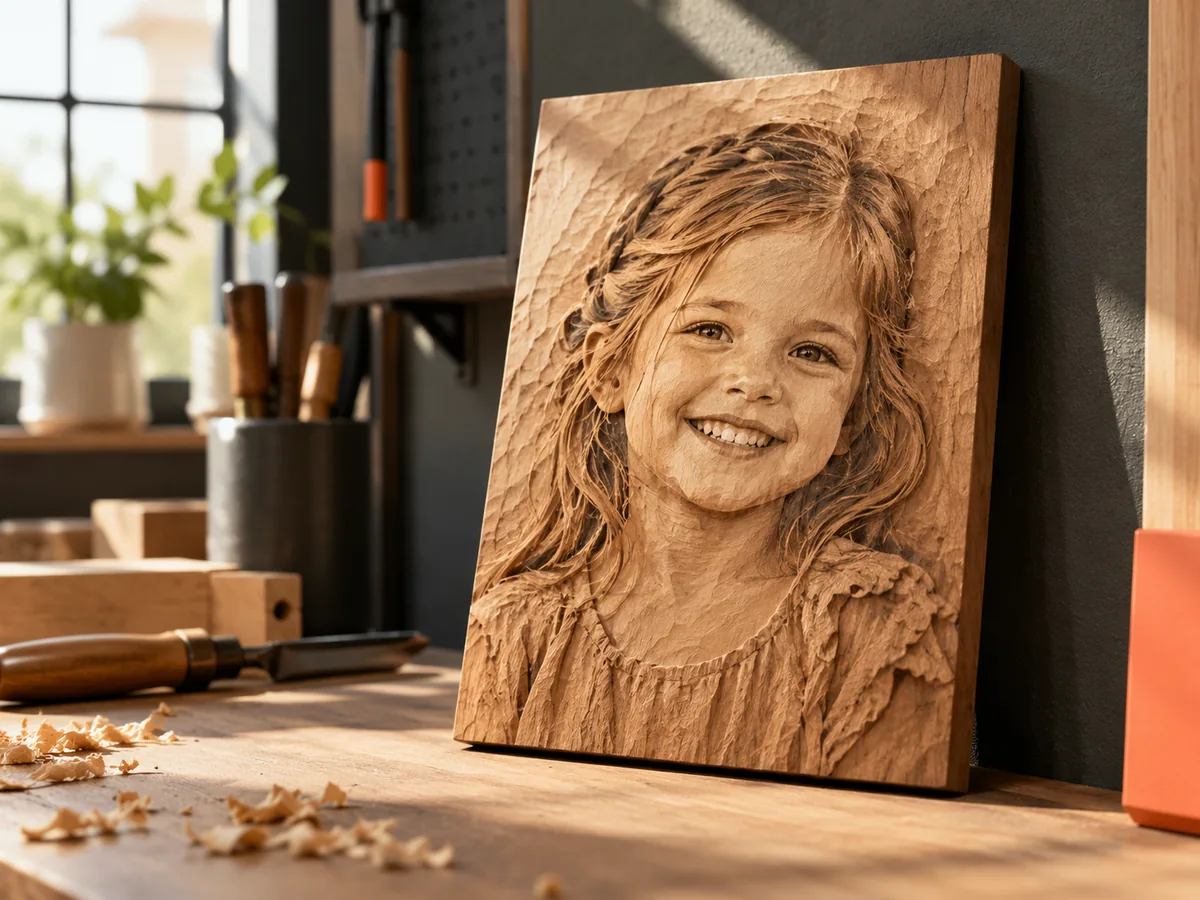
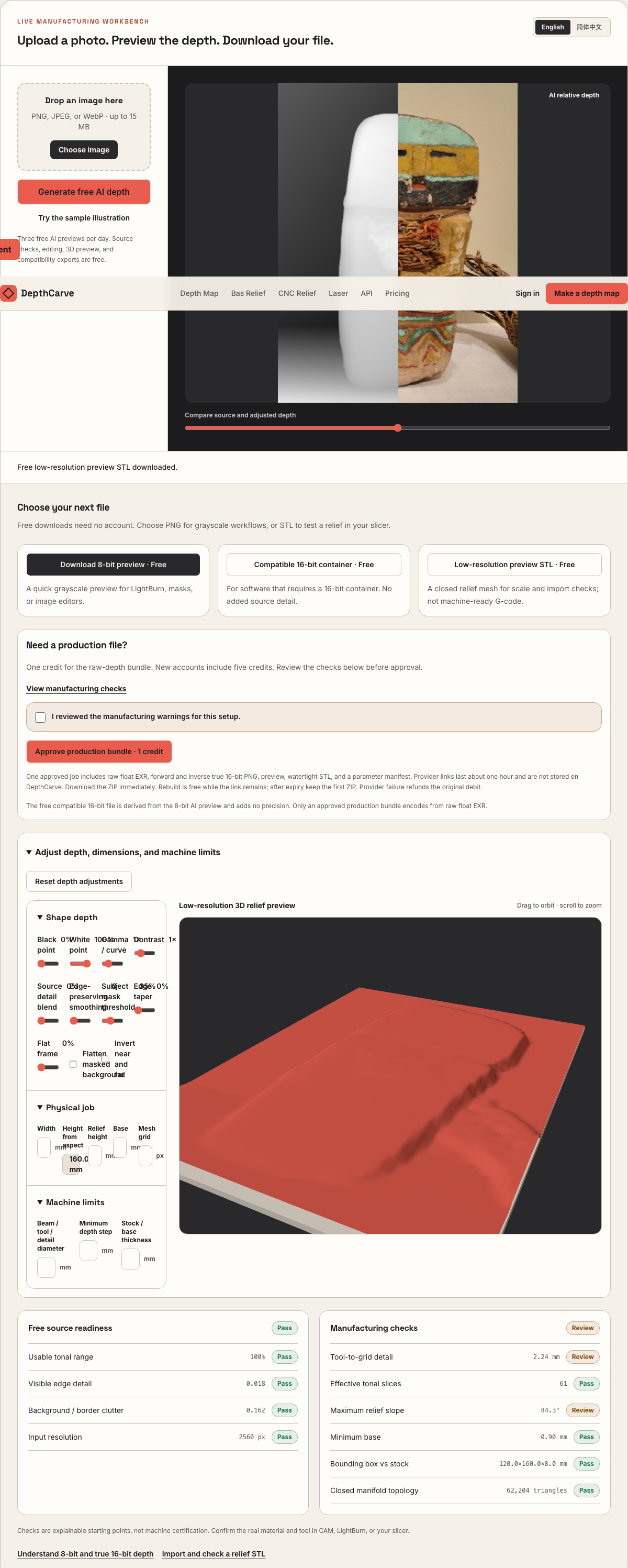
Live manufacturing workbench
Three free AI previews per day. Source checks, editing, 3D preview, and compatibility exports are free.
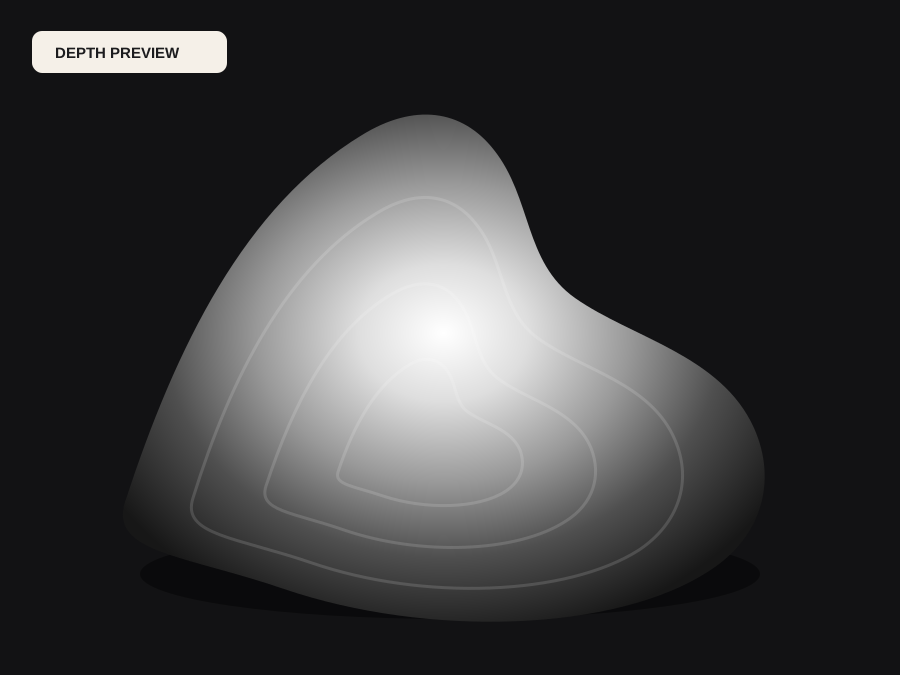
What happens to an ordinary photo (no login required):
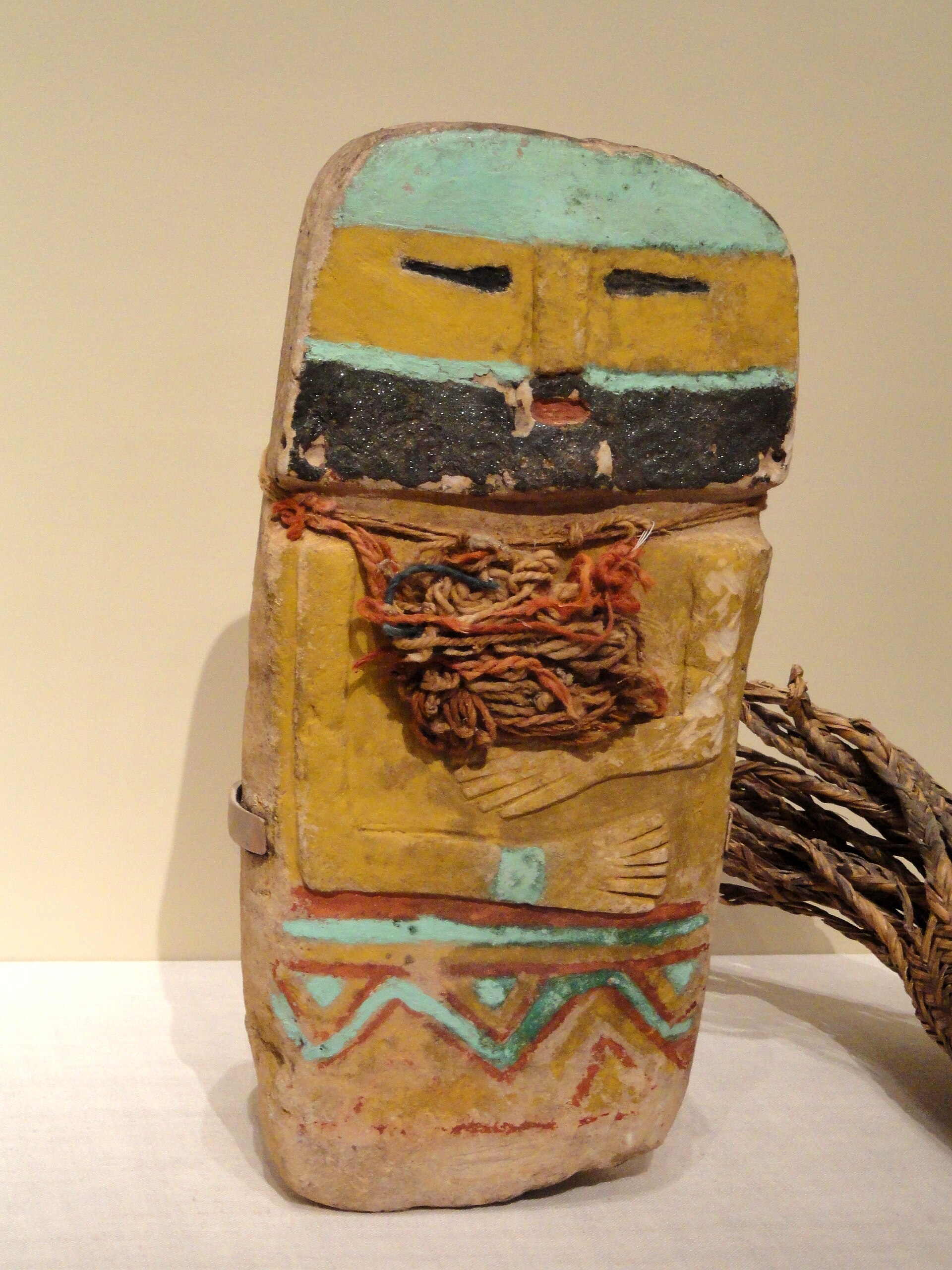
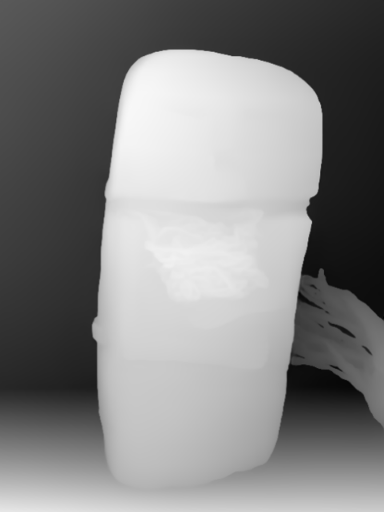
Camera shadows get separated from true 3D height—ready for CNC ball-nose finishing, LightBurn 3D Sliced laser, or resin/FDM printing.
Choose a source image to begin.
Free browser shop calculator · zero server cost
Check whether your planned cutter radius, finishing stepover, pixel width, and Z pass depth match the blank before generating a relief or importing into VCarve, Aspire, Carveco, or LightBurn.
Load a starting shop profile
Stepover & scallop height
0.15 mm · 3.8 µm
Flat-plane ball-nose cusp & finishing line count: 1,200 lines (R=0.75 mm)
Bit radius vs pixel pitch
8.5 px / R · Cutter-filtered
0.088 mm/px · min feature 1.50 mm. Multiple pixels sit inside one ball-nose radius; micro-details narrower than tool diameter are filtered physically.
Carving passes & backing stock
3 passes · 1.67 mm
Backing ≥ 1.5 mm (7.0 mm left)
8-bit vs true 16-bit Z step
19.6 µm vs 0.08 µm
High 8-bit terrace risk · 65 steps across 25% ramp (~1.41 mm terraces)
8-bit: 65 ramp levels · True 16-bit: 16,385 ramp levels
8-bit preview / compatibility PNG (256 max levels)
Discrete Z plateaus appear across gentle cheeks, backgrounds, and >256-slice Galvo jobs. Repackaging an 8-bit preview into a 16-bit container keeps the same 256 steps.
True 16-bit raw-float export (65,536 levels · 1 credit)
Encoded directly from MoGe2 raw float EXR in the Production ZIP alongside an inverse 16-bit PNG and watertight STL—keeping Z steps well below cutter scallop height.
Geometric screening only. This estimator never generates G-code, spindle speeds, feed rates, or laser power settings—always simulate in CAM and cut scrap first.
Real work, real failure cost
The useful product is not the model call. It is the review loop that catches a reversed field, a noisy border, or an impossible relief before the next tool turns that mistake into wasted time.
01
Import a closed 3D relief STL directly onto a sign layout without buying a full 3D sculpting seat.
02
Load a true 16-bit grayscale heightmap via Create Component from Selected or Imported Bitmap with minimal smoothing loss.
03
Archive both the 16-bit heightmap and the watertight STL in one job folder so any workstation can revise the project.
01
Vectric users hit a licensing divide the moment a customer asks for a carved portrait or architectural relief. Aspire includes full 3D component modeling and turns a grayscale bitmap directly into a 3D component heightfield. VCarve Desktop and VCarve Pro excel at 2D vectors, V-carving, and 3D roughing/finishing of imported meshes, yet they do not convert a raw photo into a true 3D bas-relief on their own.
DepthCarve bridges both seats with one workflow. VCarve users test the free preview STL for bounding-box fit and then import the 1-credit watertight production STL into VCarve's 3D tab. Aspire users import the verified 16-bit PNG bitmap so they can blend ribbons, dish recesses, and raised text around the relief component.
02
When a depth map has uneven gray clouds in the background—from wallpaper, foliage, or JPEG blocks—Aspire and VCarve faithfully translate those clouds into shallow ripples across the flat plaque field. Your tapered ball-nose cutter wastes twenty minutes machining texture you will later have to sand out inside tight corners.
Before exporting, raise the black-point threshold in the workbench until the area around your subject locks onto a uniform floor, then add only enough smoothing to quiet sensor grain while keeping eyes, trim lines, and lapel edges crisp.
03
A typical hardwood relief workflow pairs a 6.35 mm (1/4 in) end mill 3D roughing pass leaving a 0.5 mm–0.8 mm machining allowance with a single-pass raster or offset 3D finishing toolpath using a 1.0 mm–2.0 mm tapered ball-nose cutter at 8%–10% stepover.
Use the estimator below to balance finished XY width, Z-relief height, blank thickness, and ball radius before entering Vectric's Material Setup dialog. Always confirm Model Position in Material so your top-surface gap plus relief depth leaves solid wood above spoilboard screws or vacuum gaskets.
04
Rasterizing small lettering or hairline borders into a pixel heightmap rounds every sharp corner to the radius of your 3D finishing ball nose. Never bake dates, memorial inscriptions, or crisp geometric frames into the photo before depth estimation.
Crop the photograph purely to the organic subject, export the clean relief heightmap or STL from DepthCarve, and cut your lettering separately in VCarve or Aspire with a sharp 60-degree or 90-degree V-bit vector toolpath.
Five bounded stages
Check source contrast, edge detail, border clutter, and resolution before an AI call is trusted.
Adjust the subject mask, background, curve, detail, smoothing, taper, frame, and real dimensions for free.
Compare beam or tool size, tonal slices, slope, base, manifold topology, and bounding box with the real setup.
Approve one successful production job only after the free 2D and 3D previews earn acceptance.
Download one verified ZIP and inspect it in LightBurn, CAM, or a slicer before committing production material.
Choose by next action
| Output | Use it for | It does not guarantee | Cost |
|---|---|---|---|
| 8-bit PNG | Preview, mask, laser and compositing tests | Physical scale or machine settings | Free |
| Compatible 16-bit PNG | Compatibility with grayscale depth workflows | Additional source precision | Free |
| Preview STL | Low-cost scale and import checks | Printability, tool reach, or safe G-code | Free |
| Production job bundle | Raw EXR, true 16-bit pair, STL, preview and manifest | Hidden surfaces or certified metric truth | 1 credit |
Straight answers
Yes. VCarve Desktop and VCarve Pro can import a single 3D STL model per project (up to the 24×24 in job-size limit in Desktop) and generate both 3D Roughing and 3D Finishing toolpaths from DepthCarve's watertight STL export.
Aspire imports high-bit-depth PNG and TIFF bitmaps for component creation. Using a true 16-bit PNG encoded from raw float depth avoids the 256-level stair-stepping that forces heavy component smoothing in Aspire.
No. Remove text overlays before generating depth. Carve organic subjects as a 3D relief component and cut names, dates, and borders natively in Vectric with vector V-carve toolpaths for crisp edges.
No. VCarve and Aspire are trademarks of Vectric Ltd. DepthCarve is an independent browser workbench that exports standard PNG, EXR, and STL files compatible with Vectric and other CAM packages.
Focused notes on component height, combine modes, and dish boundaries.
General router relief preparation and ball-nose pitch checks.
Watertight STL export details for VCarve 3D Model Import.
Compare every file inside the free preview vs the 1-credit ZIP.
Preview the idea free. Pay 1 credit for production output.
Start without an account—3 free AI previews per day. Unlock raw EXR, true 16-bit PNG heightmaps, and watertight STL with the $12 Maker Pack (30 credits) or $39 Shop Pack (150 credits).