Stepover & scallop height
0.020 mm · 1.3 µm
Flat-plane ball-nose cusp & finishing line count: 4,500 lines (R=0.04 mm)
Fiber Galvo & 3D Sliced Laser
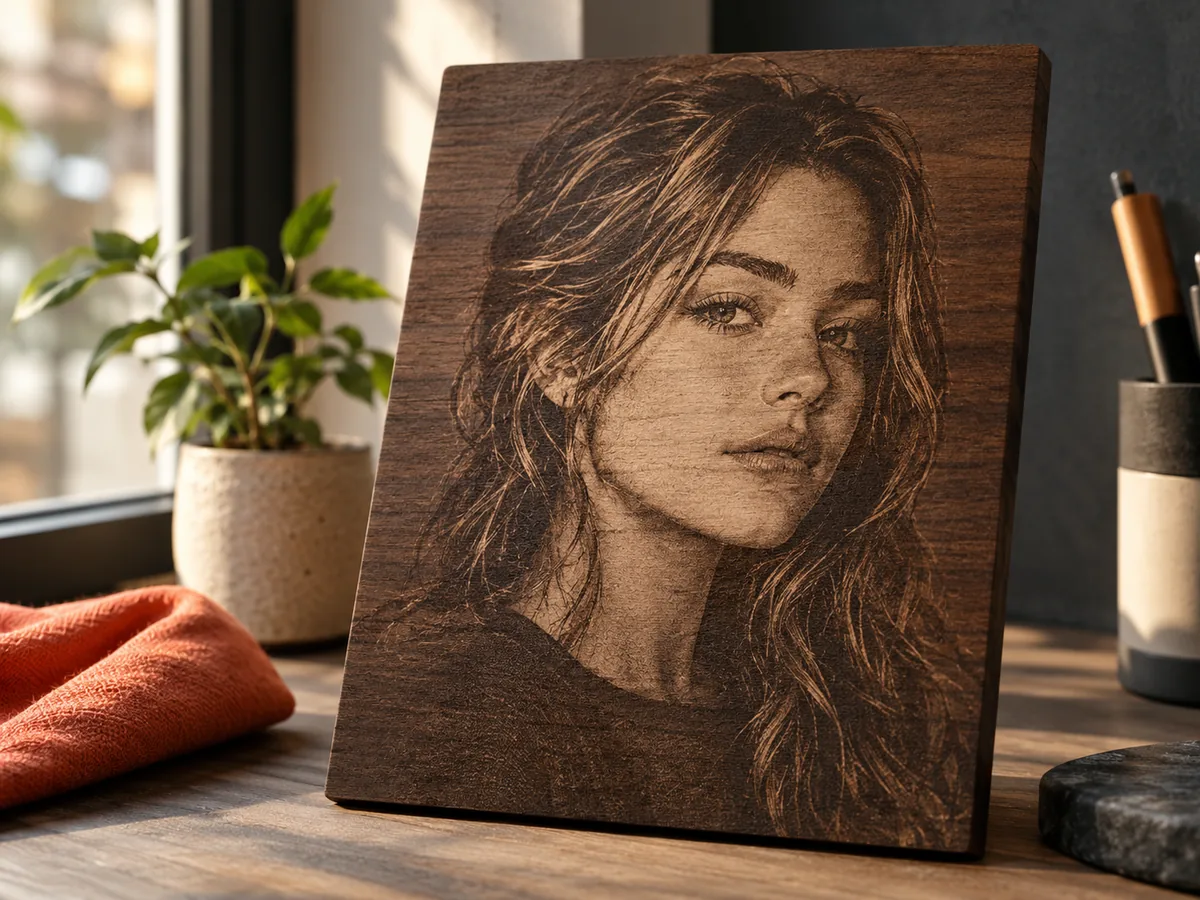
Surface photo dithering and multi-pass 3D laser relief require completely different images. Build a smooth, noise-free grayscale elevation ramp where gray values control slice thresholds instead of ink-dot illusion.
Three free AI previews per day · no account to try · 1 credit unlocks raw EXR, true 16-bit PNGs & STL ($12 / 30 credits)
Live manufacturing workbench
Three free AI previews per day. Source checks, editing, 3D preview, and compatibility exports are free.
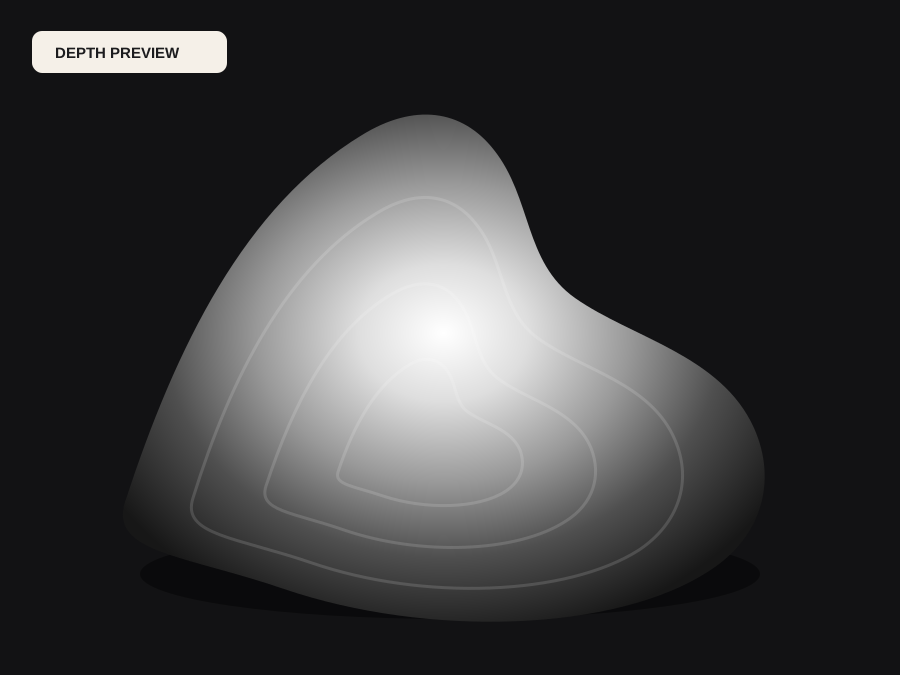
What happens to an ordinary photo (no login required):
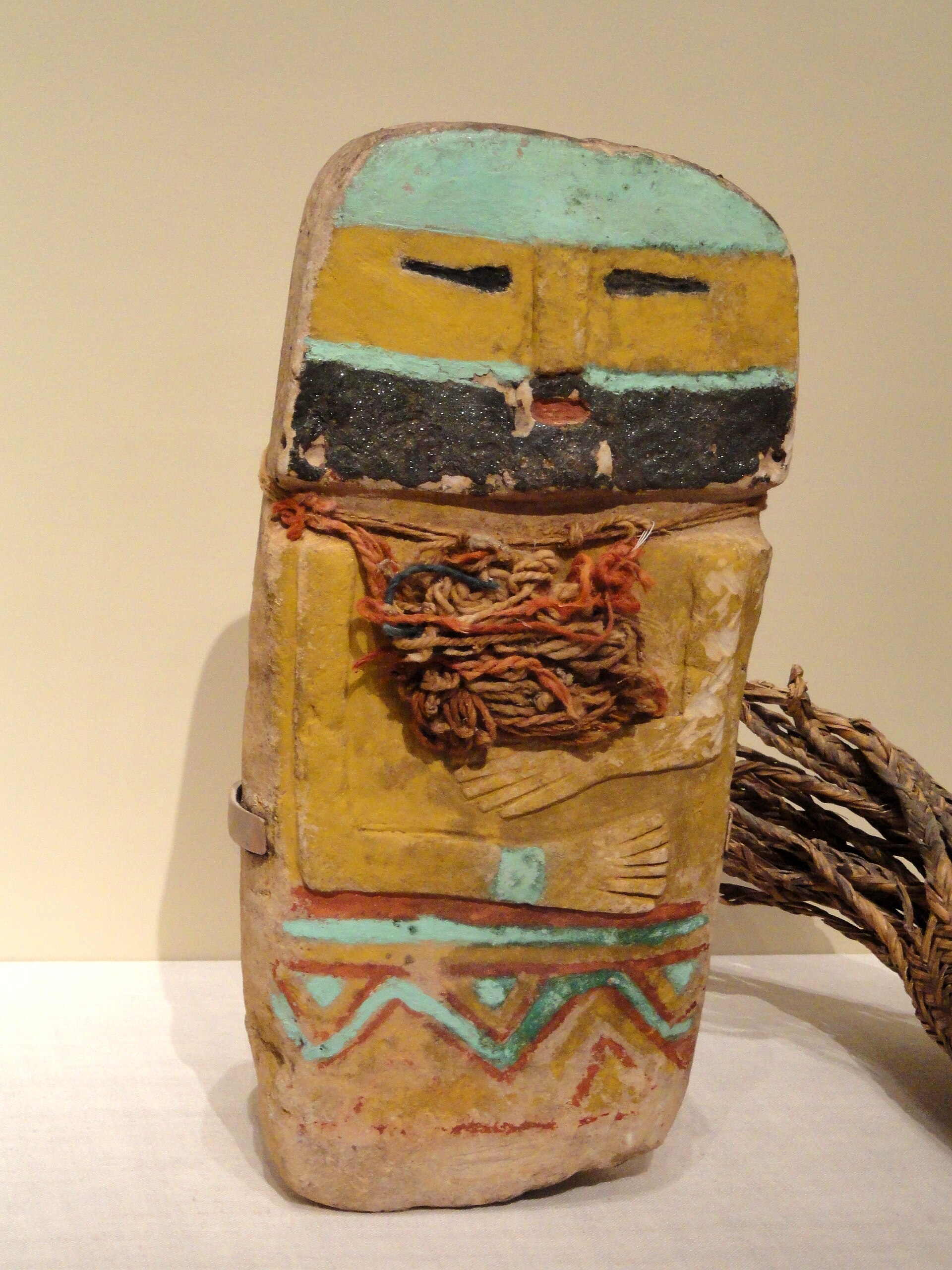
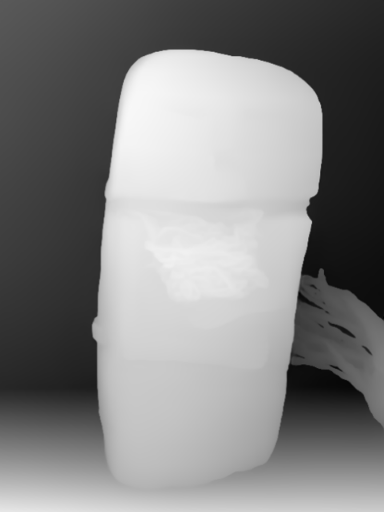
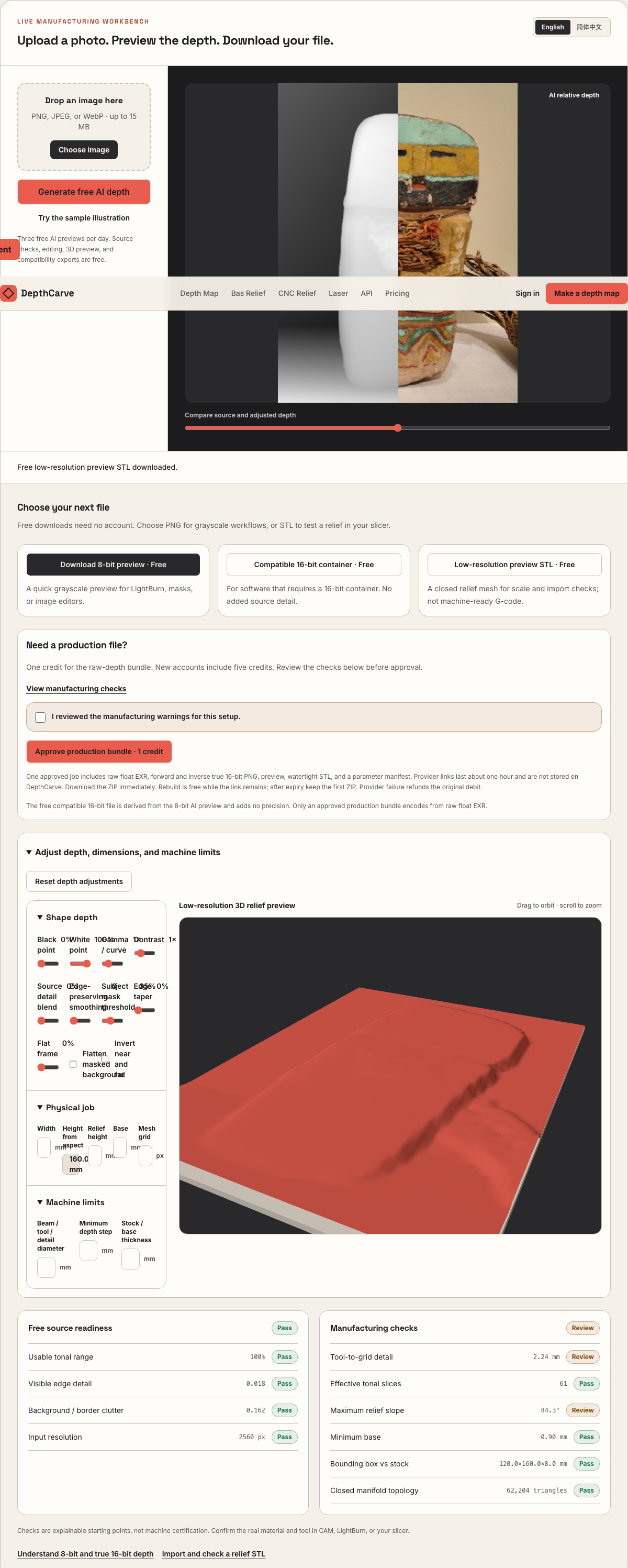
Camera shadows get separated from true 3D height—ready for CNC ball-nose finishing, LightBurn 3D Sliced laser, or resin/FDM printing.
Choose a source image to begin.
Free browser shop calculator · zero server cost
Check whether your planned cutter radius, finishing stepover, pixel width, and Z pass depth match the blank before generating a relief or importing into VCarve, Aspire, Carveco, or LightBurn.
Load a starting shop profile
Stepover & scallop height
0.020 mm · 1.3 µm
Flat-plane ball-nose cusp & finishing line count: 4,500 lines (R=0.04 mm)
Bit radius vs pixel pitch
0.9 px / R · Pixel-limited
0.044 mm/px · min feature 0.09 mm. Pixel pitch is wider than the cutter radius or stepover; pixel stair-steps may show unless smoothed or upsized.
Carving passes & backing stock
300 passes · 0.006 mm
Backing ≥ 1.5 mm (2.2 mm left)
8-bit vs true 16-bit Z step
7.1 µm vs 0.03 µm
High 8-bit terrace risk · 78 steps across 30% ramp (~0.58 mm terraces)
8-bit: 78 ramp levels · True 16-bit: 19,662 ramp levels
8-bit preview / compatibility PNG (256 max levels)
Discrete Z plateaus appear across gentle cheeks, backgrounds, and >256-slice Galvo jobs. Repackaging an 8-bit preview into a 16-bit container keeps the same 256 steps.
True 16-bit raw-float export (65,536 levels · 1 credit)
Encoded directly from MoGe2 raw float EXR in the Production ZIP alongside an inverse 16-bit PNG and watertight STL—keeping Z steps well below cutter scallop height.
Geometric screening only. This estimator never generates G-code, spindle speeds, feed rates, or laser power settings—always simulate in CAM and cut scrap first.
Real work, real failure cost
The useful product is not the model call. It is the review loop that catches a reversed field, a noisy border, or an impossible relief before the next tool turns that mistake into wasted time.
01
Run 120–350 pass 3D Sliced engravings on brass, bronze, aluminum, and steel challenge blanks.
02
Carve tiered basswood, slate, or acrylic reliefs without turning dark hair or pupils into burnt pits.
03
Check polarity, histogram span, and quantization terrace risk before committing a 45-minute burn.
01
Standard laser photo engraving uses Jarvis, Stucki, or halftone dots on a flat surface to trick the human eye into seeing shading. If you feed a contrast-boosted camera photo into LightBurn's 3D Sliced mode or EzCad3 3D relief, the laser ablates material wherever pixels match each threshold slice.
Dark eyebrows, nostrils, jacket lapels, and background shadows receive maximum pass counts and drill narrow canyons into brass or hardwood, while bright specular glare on a forehead stays untouched as a flat plateau. A 3D gray depth map fixes the input by encoding relative elevation rather than scene reflectance.
02
Fiber galvo operators commonly run 200 to 400 slices with a 30 µm–50 µm spot size and cross-hatched angle increments, followed by a low-power cleaning pass. When the source heightmap is an 8-bit PNG (256 levels) stretched after black-point clipping to only 170 active gray values, dozens of laser slices share identical pixel boundaries.
On polished brass or anodized aluminum blanks, those shared slice thresholds appear as unmistakable topographic rings across cheeks and domes. Switching to the Galvo preset in the estimator below shows the exact Z-step difference between 8-bit and true 16-bit raw-float encoding before you start a multi-hour cycle.
03
Depending on whether you want a raised cameo portrait proud of a recessed background field or an intaglio mold cavity sunk below the coin rim, your white-versus-black convention flips. LightBurn's 3D Sliced mode also includes its own Invert toggle, making double-inversion an easy shop mistake.
DepthCarve lets you preview polarity in 3D before export, and the 1-credit production ZIP delivers both verified 16-bit forward and verified 16-bit inverse PNGs encoded directly from raw float depth—so you never degrade histogram smoothness in an external editor.
04
No web converter knows your fiber source wattage, F-theta lens focal length (110×110 mm vs 175×175 mm), pulse frequency, Q-pulse width, exhaust flow, or brass alloy lead content. DepthCarve supplies clean grayscale elevation files and stops there.
Always run a small step-wedge or 15 mm crop coupon on the exact blank alloy to verify ablation depth per 50 passes, slag cleanup settings, and thermal warping before engraving the final piece.
Five bounded stages
Check source contrast, edge detail, border clutter, and resolution before an AI call is trusted.
Adjust the subject mask, background, curve, detail, smoothing, taper, frame, and real dimensions for free.
Compare beam or tool size, tonal slices, slope, base, manifold topology, and bounding box with the real setup.
Approve one successful production job only after the free 2D and 3D previews earn acceptance.
Download one verified ZIP and inspect it in LightBurn, CAM, or a slicer before committing production material.
Choose by next action
| Output | Use it for | It does not guarantee | Cost |
|---|---|---|---|
| 8-bit PNG | Preview, mask, laser and compositing tests | Physical scale or machine settings | Free |
| Compatible 16-bit PNG | Compatibility with grayscale depth workflows | Additional source precision | Free |
| Preview STL | Low-cost scale and import checks | Printability, tool reach, or safe G-code | Free |
| Production job bundle | Raw EXR, true 16-bit pair, STL, preview and manifest | Hidden surfaces or certified metric truth | 1 credit |
Straight answers
Yes. Export the free 8-bit preview PNG to verify orientation, framing, and slice direction in LightBurn first, then use the 1-credit production bundle when your pass count and smooth gradients justify true 16-bit raw-float precision.
A normal photograph records dark iris pigment and shadow as low brightness, so depth-by-brightness modes fire more ablation passes on the eyes than on the surrounding cheek. Depth estimation places the eyeball on the facial surface where it physically belongs.
No. Pulse width, frequency, line interval, scan speed, and cleaning-pass power depend heavily on your laser source, F-theta lens, and metal alloy. DepthCarve prepares the grayscale depth map only.
Raise the black-point floor in the workbench so background clutter clips cleanly to a single uniform base level instead of fluctuating across twenty slight gray values.
Size shallow 0.4 mm–1.5 mm reliefs for brass blanks and dies.
Walk through polarity, pass counts, and scrap calibration in LightBurn.
Inspect histogram gaps and verify real 16-bit PNG samples locally.
See every file included inside the 1-credit raw-float production ZIP.
Preview the idea free. Pay 1 credit for production output.
Start without an account—3 free AI previews per day. Unlock raw EXR, true 16-bit PNG heightmaps, and watertight STL with the $12 Maker Pack (30 credits) or $39 Shop Pack (150 credits).