2026 Flagship Benchmark
Best Photo to 3D Depth Map Generator for CNC Relief & Fiber Laser Engraving (2026)
If you carve hardwood portrait plaques on a CNC router, ablate 40 mm brass challenge coins on a MOPA fiber laser, or print backlit lithophanes from customer photographs, most viral 3D depth tools fail the moment their files touch CAM or LightBurn. In 2026, choosing a photo to 3D depth map generator for CNC relief comes down to four physical manufacturing guarantees: genuine 16-bit grayscale height precision (65,536 Z-levels), closed watertight STL mesh geometry, live range shaping before export, and honest pay-as-you-go shop economics without monthly subscription waste.
Interactive Canvas relief previewer & CNC/laser pass estimator. Zero uploads, zero API cost.
2026 Benchmark Matrix: DepthCarve vs Owl3D vs Depth-Map.com vs Manual Blender / Aspire
Most comparison roundups lump every tool that mentions the phrase 3d depth map into one generic list. In a real CNC or laser workshop, that category error wastes hours of spindle time and expensive stock. A stereoscopic video converter designed to turn vacation clips into VR headsets solves a completely different engineering problem than a CNC relief heightmap generator. Similarly, a quick web toy that outputs an 8-bit JPEG looks fine on a smartphone screen while carving ugly topographic stair-steps across a $45 walnut blank or a $4 C360 brass coin.
To compare tools honestly in 2026, we evaluate each lane against the six manufacturing checks that actually govern shop profitability: verified 16-bit grayscale heightmap precision, watertight depth map to stl geometry readiness, pre-export laser invert and contrast shaping controls, real 2026 pricing structure, commercial resale rights for physical crafts, and failed-job billing protection. Use the interactive zero-cost browser previewer directly below this table to visualize how 16-bit vs 8-bit quantization, Z-depth millimeters, and smoothing physically behave before you even touch a piece of wood or metal.
| Shop Check | DepthCarve (depthcarve.com) | Owl3D | Depth-Map.com | Manual Blender / Aspire |
|---|---|---|---|---|
| 16-Bit Precision (65,536 Z-levels) | Verified true 16-bit PNG encoded from raw 32-bit float EXR (both forward & inverse PNGs + EXR in 1 ZIP) | Built for 2D-to-3D stereoscopic video/VR viewing depth rather than CNC-grade 16-bit heightmap relief | Quick web depth image workflow; verify whether live exports deliver genuine 16-bit data vs padded 8-bit grayscale | Full 16-bit/32-bit float precision once you manually sculpt or hand-paint elevation maps |
| CNC STL & Mesh Readiness | Closed watertight STL with flat base & vertical walls ready for VCarve, Fusion 360 & slicers (+ manifest/GLB links) | Outputs stereoscopic SBS, VR180, and 3D media formats—not watertight CNC relief STL/OBJ solids | Grayscale depth image primary output; converting depth map to STL requires external meshing & wall closing | Full watertight STL/OBJ export control, but requires manual Solidify, Remesh, and manifold cleanup |
| Laser Invert & Contrast Controls | Free live browser black/white clip, gamma, contrast, edge smoothing, background flatten & invert before paying | Disparity, focal plane, and stereo convergence sliders tuned for screens rather than laser slice clipping | Minimal in-browser range shaping; laser white/black clipping usually requires external Photoshop/GIMP passes | Deep curve, sculpting, and bitmap smoothing controls inside desktop UI with steeper operator setup time |
| Pricing Model (2026) | Free previews & local tools; non-expiring $12 Maker (30 jobs, $0.40) or $39 Shop (150 jobs, $0.26); optional $29/mo Workshop & $99/mo Production API | Subscription-oriented consumer/creator software for 3D video conversion (confirm current live tiers on vendor site) | Web credit / tiered generator model (confirm current live limits and commercial plan pricing directly) | Blender is $0 software but costs 1–3 hrs operator labor/relief; Vectric Aspire is a ~$1,995+ desktop CAM licence |
| Commercial Manufacturing Rights | Included on all paid production exports for plaques, brass coins, lithophanes, and custom client commissions | Geared toward personal/media stereoscopic conversion; verify commercial manufacturing terms before resale | Confirm current commercial resale clause for your selected tier on the vendor pricing page | Full commercial ownership over geometry you sculpt or model manually in-house |
| Failed-Job Credit Protection | Confirmed upstream inference failures automatically refund the reserved credit to your balance | Local desktop or subscription media compute; no per-job CNC relief refund guarantee | Standard web generation; confirm retry and failed-job credit policy before high-volume runs | Local workstation reruns cost operator hours rather than per-file cloud credits |
DepthCarve pricing and deliverables verified directly from live catalog on 2026-11-28 ($12 Maker/30 credits, $39 Shop/150 credits, $29/mo Workshop/250 credits, $99/mo Production/1,500 credits + API). Competitor plans change frequently—confirm live vendor pricing before issuing client quotes.
Try the workflow
Interactive 16-bit depth relief & fiber laser estimator (zero API cost)
Switch between CNC hardwood, 40 mm brass fiber laser, natural slate, and portrait lithophane presets—or load a local image purely in browser memory—to inspect 16-bit vs 8-bit Z-step precision, raking light shading, smoothing, and pass math before cutting real material.
Live Browser Tool · 0 Server Calls · 0 API Cost
16-Bit Depth Relief & Fiber Laser Estimator
1. Pick target material & machine process
Standard Relief (White = High / Raised): matches LightBurn 3D Sliced, Vectric Aspire, and Carveco defaults.
Calculated 40 mm Brass Coin (MOPA Fiber Laser) Specs
Shop-Safe Window- True 16-Bit Z-Step
- 0.023 µm
- 8-Bit Banding Step
- 5.9 µm
- Pass / Layer Plan
- 200 LightBurn 3D slices + 14 cleanup passes
- Est. Machine Run
- ~40 min
65,536 vertical height levels
257× coarser contour ledges
Baseline shop cycle estimate
Shop guidance: Clean 40 mm C360 brass coin window: rotate hatch angle 17°–37° per slice and keep air extraction strong.
Need a true AI monocular 3D depth map from a real photograph (not just pixel brightness)? Open the DepthCarve workbench to shape a free preview, then export raw float EXR, verified 16-bit PNG & watertight STL from $0.26/job on the non-expiring $39 Shop Pack.
Generate AI 3D Depth Map →Why True 16-Bit Depth Maps and Watertight STLs Separate Production Shops from Hobby Toys
Open the interactive 16-Bit Depth Relief & Fiber Laser Estimator above and flip the Simulate 8-Bit Stair-Stepping checkbox while dragging the Raking Inspection Light Angle slider across the coin or portrait preset. What you see on that simulated canvas is the exact physical defect that destroys thousands of CNC carvings and laser coins every week. An 8-bit grayscale file can store only 256 discrete vertical elevation values between pure black and pure white. Spread across a 6.5 mm walnut relief, each single grayscale step jumps by 25.5 microns—and once JPEG compression or contrast stretching drops the usable portrait range to 140 gray values, cheeks and foreheads turn into visible topographic contour rings that force 45 minutes of tedious hand sanding.
True 16-bit grayscale heightmaps store 65,536 discrete Z-levels from the raw 32-bit floating-point depth field. Across that same 6.5 mm walnut plaque, each elevation increment shrinks to 0.099 microns—more than 257 times finer than 8-bit grayscale and far finer than the mechanical micro-step resolution of any gantry CNC router or galvo fiber laser. When a vendor merely takes an 8-bit preview and saves it inside a 16-bit PNG file container without preserving floating-point intermediate values, the file header claims 16-bit while every pixel remains locked to multiples of 257. That is why DepthCarve encodes production maps directly from raw float EXR and includes a local browser PNG Bit-Depth Checker so you can audit any vendor's heightmap before milling.
Equally critical is how a generator handles depth map to stl geometry. A raw displaced pixel grid is just a paper-thin zero-thickness sheet floating in space. Import an open shell into Vectric VCarve Desktop, VCarve Pro, Carbide Create, or Bambu Studio and you immediately hit non-manifold edge errors, phantom roughing plunges, or broken slicer walls. Every single 1-credit DepthCarve production ZIP constructs a closed, watertight STL solid with stitched perimeter skirts and a flat backing plane at your chosen millimeter thickness—and packages the raw EXR, forward and inverse true 16-bit PNGs, 8-bit preview, watertight STL, and a versioned JSON validation manifest together so you never pay twice for separate formats.
That single-bundle contract also answers a common question from makers searching for a free depth map for laser engraving: how do you test a difficult photo without wasting money? DepthCarve keeps source inspection, free daily previews (3 previews per UTC day), full in-browser range shaping (black point, white point, gamma, contrast, edge-preserving smoothing, background flattening, and polarity inversion), low-resolution 3D relief inspection, and free preview downloads (8-bit PNG, clearly labeled compatibility 16-bit PNG, and preview STL) at $0 with no credit card required. You inspect whether the AI placed the subject cleanly in front of the background first, reject weak photos at zero cost, and only approve a 1-credit production bundle when the relief is genuinely worth cutting.
Walkthrough 1: Hardwood CNC Coin & Plaque Relief (Walnut & Hard Maple in VCarve / Aspire)
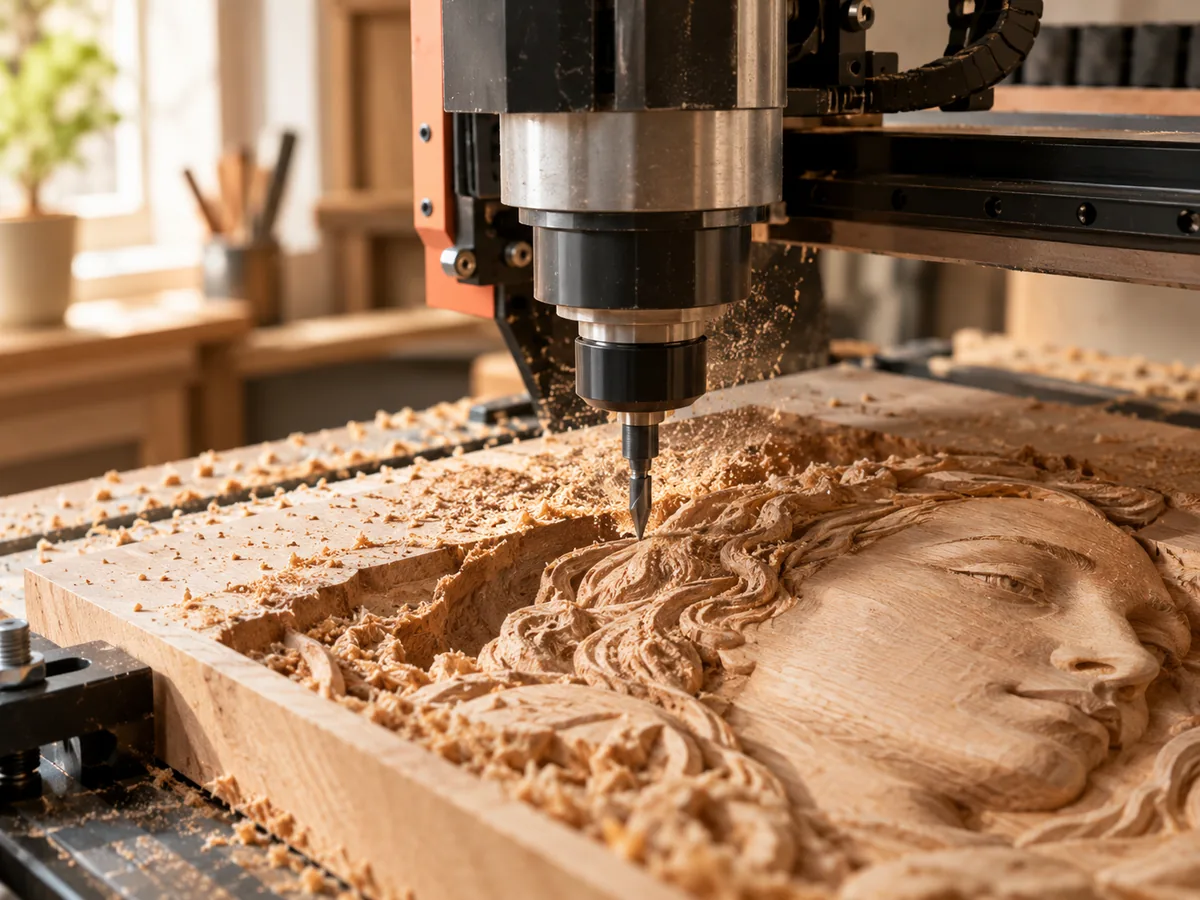
Hardwood portrait plaques, military crests, and anniversary medallions are the bread-and-butter jobs for commercial CNC shops using Shapeoko, Onefinity, Avid CNC, or industrial 4×8 routers. Because timber grain competes visually with shallow sculpted details, your workflow starts before you ever upload the photo: crop tightly to the subject so distant trees, walls, or furniture do not steal half of your dynamic Z-range. Tight-grained hardwoods—specifically hard maple, European beech, American cherry, and black walnut—hold crisp 0.5 mm facial contours cleanly, whereas open-pored red oak and soft construction pine splinter along steep nose bridges.
Step 1 — Shape the free preview in DepthCarve: upload the cropped portrait into the workbench, run a free preview, and verify foreground-to-background ordering on the comparison slider. Raise the Black Point slider just enough to drop noisy background drapes or lawn foliage onto a flat zero-plane, and pull White Point slightly off hard clipping so the tip of the nose or helmet crest stays rounded rather than flattened into a blunt mesa. Apply 0.5 to 1.5 px of edge-preserving smoothing only if the customer supplied a noisy smartphone JPEG.
Step 2 — Export and import into Vectric: approve 1 credit ($0.40 on the $12 Maker Pack or $0.26 on the $39 Shop Pack) and unzip your bundle. In Vectric Aspire or Carveco, set Job Modeling Resolution to High (4×) or Very High (7×) first—leaving Modeling Resolution on Standard silently downsamples your 16-bit map and re-introduces stair-stepping—then import depth-16bit.png as a 3D Component and lock Shape Height to 5.5–7.5 mm (roughly 3%–5% of the plaque's shorter dimension). In Vectric VCarve Desktop or VCarve Pro, import the closed watertight STL directly via Import a Component or 3D Model and click Create Vector Boundary Around Selected Components so your toolpath never wastes 25 minutes air-cutting flat scrap border.
Step 3 — Toolpaths and finishing: for reliefs deeper than 4.5 mm, always run a 3D Roughing pass with a 6 mm (1/4 in) downcut or flat endmill leaving 0.8–1.0 mm machining allowance so your fine finishing cutter never plunges full-depth into hard walnut. Follow with a 1.0 mm (R0.5) or 1.5 mm (R0.75) solid-carbide tapered ball nose at 7%–8% stepover aligned strictly parallel to the wood grain. After removing the plaque, never flatten facial ridges with sheet sandpaper; sweep micro-fuzzies clean with 180-grit and 220-grit 3M radial bristle discs, seal with two mist coats of dewaxed shellac, and wipe a dark walnut gel glaze across maple or cherry to double visual depth contrast.
| Wood Species | Target Z-Depth | Roughing Pass | Finishing Bit & Stepover | Post-Carve Finish |
|---|---|---|---|---|
| Hard Maple / European Beech | 4.5 – 6.5 mm | 6 mm flat endmill · 0.8 mm allowance | 1.0 mm tapered ball nose · 7%–8% along grain | 220 radial bristle disc + shellac + walnut glaze |
| American Cherry | 5.0 – 7.5 mm | 6 mm flat endmill · 0.8 mm allowance | 1.0–1.5 mm tapered ball nose · 7%–8% along grain | Pre-seal shellac before finish pass + satin oil |
| Black Walnut | 6.0 – 8.5 mm | 6 mm flat endmill · 1.0 mm allowance | 1.5 mm tapered ball nose · 8% along grain | 220 radial bristle disc + Rubio/Osmo hardwax oil |
| 18 lb HDU Sign Foam | 6.5 – 10.0 mm | 6 mm flat endmill · 1.0 mm allowance | 1.5–3.175 mm ball nose · 8%–9% stepover | Zero grain tear-out · high-build primer + metallic patina |
Walkthrough 2: Brass Coin & Natural Slate Fiber Laser 3D Engraving (LightBurn 3D Sliced)
Deep 3D brass challenge coins and sculpted natural slate coasters turn low-cost blanks ($2.50–$4.00 for a 40 mm × 3 mm C360 brass coin; under $1.50 for a 100 mm slate coaster) into $45 to $120 custom keepsakes. Yet LightBurn's 3D Sliced mode is unforgiving: it slices your heightmap horizontally into 64 to 256 sequential ablation passes, firing first on the darkest background floor and stepping layer by layer toward pure white peaks. Feed it a noisy 8-bit grayscale photo instead of a true 16-bit 3D depth map and dark eyes vaporize into deep pits while JPEG blocks etch ugly contour terraces directly into solid brass.
Step 1 — Frame and polarize your coin heightmap: center your crest, pet face, or portrait inside a 1:1 square canvas with at least 12% clean circular margin so the raised metallic bezel frames the relief cleanly. Inside DepthCarve, verify that the foreground subject reads bright white and pull the recessed coin floor cleanly to pure black using the Black Point control. In standard LightBurn 3D Sliced mode, pure white remains un-lasered at full coin thickness and pure black ablates deepest. If you are cutting a recessed wax seal stamp or leather embossing die instead of a raised coin, grab the pre-inverted true 16-bit PNG already packed inside the exact same DepthCarve production ZIP.
Step 2 — Brass coin fiber laser execution (50W–100W MOPA or 30W–60W JPT): clamp the 40 mm brass blank tightly against a heavy aluminum heat-sink plate rather than loose honeycomb pins so thermal warping cannot shift focus mid-job. Pair a 110×110 mm F-Theta lens with 0.020–0.025 mm line interval and 180 to 256 LightBurn 3D Sliced passes. Enable pass angle increment (such as 17° or 37° rotation per slice) to eliminate directional trench grooves, and schedule a fast high-frequency cleanup pass every 12 to 15 layers to vaporize oxidized slag out of fine eye and lettering valleys. Finish with a 30-second brass wool buff, warm ultrasonic rinse, and optional liver-of-sulfur antique patina plus Renaissance Wax.
Step 3 — Natural slate coaster relief execution (CO2 or Fiber): natural slate fractures (spalls) if you dump excessive heat into a single deep pocket. Keep target Z-depth shallow (0.4–1.0 mm) across 32 to 64 slices with moderate power, crisp air extraction, and a slightly wider line interval (0.035 mm on fiber; 0.08 mm on 60W CO2). On slate, subtle micro-relief combined with the bright silver-gray mineral contrast of laser-ablated stone looks remarkably three-dimensional without risking delamination. Seal finished coasters with two light passes of matte clear lacquer or mineral oil so fingerprints never dull the engraved relief.
| Substrate & Machine | Target Depth & Passes | Lens & Line Interval | Scan Angle & Cleanup Strategy |
|---|---|---|---|
| 40 mm Brass Coin · 30W Fiber | 1.0 – 1.4 mm · 128–160 passes | 110×110 mm · 0.025–0.030 mm | Rotate 17°–37°/pass · high-freq cleanup every 12 layers |
| 40 mm Brass Coin · 50W–60W MOPA | 1.2 – 1.8 mm · 180–256 passes | 110×110 mm · 0.020–0.025 mm | Aluminum heatsink + cross-angle rotation + cleanup every 12–15 layers |
| 40 mm Brass Coin · 100W MOPA | 1.5 – 2.0 mm · 200–256 passes | 110×110 mm · 0.020 mm | Strong fume extraction + mid-job Z focus step-down + cleanup pass |
| 100 mm Slate Coaster · 50W Fiber / 60W CO2 | 0.4 – 1.0 mm · 32–64 passes | 150×150 mm (0.035 mm) or 2 in CO2 (0.08 mm) | Moderate power to prevent spalling · brush dust + matte sealer |
Laser tubes, Q-pulse widths, and alloy batches vary widely. Always validate speed, frequency, and focus drop on a sacrificial blank before running customer orders.
Walkthrough 3: Backlit Portrait Lithophane (Depth Map to STL for FDM & SLA 3D Printing)
Lithophanes flip one fundamental rule that trips up beginners switching from CNC wood carving to 3D printing: a front-lit wood relief needs true 3D geometric elevation (so a dark dog standing in front of a white porch stays raised), whereas a traditional backlit lithophane controls optical light transmission through translucent white plastic—bright photo highlights must be thin (0.8 mm) so LED light glows through, and dark shadows must be thick (3.2–3.6 mm) to block light. Hybrid 2.5D sculptural lithophanes blend both, keeping foreground portraits slightly proud while preserving clean photographic tonal transmission.
Step 1 — Configure thickness span and export a closed STL: in DepthCarve's lithophane preset (or using the local previewer above switched to Portrait Lithophane), set minimum highlight thickness to 0.8 mm (roughly two 0.4 mm FDM perimeters so light transmits brightly without pinhole gaps) and maximum shadow thickness to 3.2–3.6 mm (a 2.4–2.8 mm modulation span). Exceeding 4.2 mm in standard white PLA+ chokes off warm 3000K LED strips and turns subtle hair details into muddy black silhouettes. Because DepthCarve builds a closed manifold STL with flat perimeter walls, Bambu Studio, PrusaSlicer, OrcaSlicer, and Chitubox slice immediately with zero non-manifold repair warnings.
Step 2 — Orient vertically along the Y-axis for maximum detail: never print a portrait lithophane lying flat on the build plate. Flat orientation forces facial shading onto coarse discrete Z-layer steps (0.12 mm per step = only 20 tonal levels across a 2.4 mm thickness span!). Standing the lithophane vertically on its narrow bottom edge—aligned parallel to the bed-slinger Y-axis so bed acceleration never wobbles the tall thin wall—lets your printer's high-precision X/Y stepper motors trace continuous photographic detail at 0.12 mm vertical layer height.
Step 3 — Slicer recipe for heirloom print quality: choose warm matte white or dedicated lithophane white PLA+ (avoid transparent or super-opaque titanium-heavy whites without testing a 30 mm swatch). Set wall loops to 6–8 (or 100% rectilinear infill), outer wall speed to 35–45 mm/s, add a 6–8 mm outer brim for tall bed adhesion, and inspect wall thickness in DepthCarve's free local browser STL Viewer before sending the G-code to your Bambu Lab A1/X1C, Prusa MK4, or Elegoo Saturn resin printer.
| Printer Class | Min / Max Wall Thickness | Orientation & Layer Height | Infill, Walls & Material Notes |
|---|---|---|---|
| FDM (Bambu A1 / X1C / Prusa MK4) | 0.8 mm min · 3.2–3.6 mm max | Vertical along Y-axis · 0.12 mm layer | 100% infill (6+ walls) · 6–8 mm brim · warm white PLA+ |
| Fast FDM (Large Lamp Panels) | 0.8 mm min · 3.4 mm max | Vertical / curved arc · 0.16 mm layer | Curved arc adds self-standing rigidity · 40 mm/s outer wall |
| MSLA Resin (Saturn 4 / Photon Mono) | 0.6 mm min · 2.8–3.2 mm max | Vertical or 15° tilt · 0.05 mm layer | Solid ivory/white resin · wash & UV cure evenly to prevent warp |
Honest Shop Math: Zero Subscription Trap, Commercial Rights & When Another Tool Fits Better
Most custom CNC, laser, and 3D-print craft shops experience spiky demand: forty portrait orders in November and December, twelve orders in March, and five quiet weeks in late summer. Locking your workshop into a $29–$75/month cloud subscription means paying for idle server seats during slow months while still risking wasted retries when a difficult photo misbehaves. DepthCarve is engineered around real shop cash flow: validate any photo on the free preview, then unlock complete production ZIP bundles using one-time, non-expiring credits—$12 for the Maker Pack (30 jobs, $0.40/job) or $39 for the Shop Pack (150 jobs, $0.26/job). Only studios running continuous weekly batches ($29/mo Workshop for 250 credits at ~$0.12/job) or automated storefront webhooks ($99/mo Production for 1,500 credits at ~$0.07/job with a 60 req/min REST API) ever need a monthly tier.
Every paid production export includes full commercial rights for physical wood carvings, brass challenge coins, slate coasters, lithophanes, and commissioned client pieces, and any confirmed upstream provider failure automatically refunds your reserved credit. That keeps your file-preparation cost below 1% of a typical $65–$180 custom physical order.
To keep this 2026 guide genuinely useful rather than blind hype, here is when a different tool is the smarter pick: if you want to convert home movies into stereoscopic 3D video for an Apple Vision Pro or Meta Quest, choose Owl3D—it is built for stereoscopic cinema, not CNC milling. If you are sculpting an original fantasy dragon or complex multi-part architectural capital from scratch rather than from a photograph, or working under an air-gapped defense/museum NDA that forbids cloud processing entirely, stick to manual sculpting in Blender, ZBrush, or Vectric Aspire on an offline workstation. Even then, many veteran Blender and Aspire shops still run DepthCarve first to generate a clean raw-float 16-bit base heightmap in thirty seconds and spend their artistic energy on final hand-sculpted flourishes instead of fighting flat photo brightness.
Before the file moves forward
Final checklist
- Crop the source photograph tightly around the subject before generating a 3D depth map.
- Verify foreground-to-background ordering on the free browser preview before spending 1 credit.
- Audit heightmap precision (true 16-bit / 65,536 levels, not padded 8-bit) to prevent facial contour banding.
- Confirm polarity direction: White = High for LightBurn 3D Sliced & Aspire, or use the included inverse 16-bit PNG for recessed dies.
- Match Z-depth to substrate limits (5–8.5 mm hardwood CNC; 1.0–2.0 mm C360 brass; 0.4–1.0 mm slate; 0.8–3.6 mm lithophane).
- Simulate roughing/finishing toolpaths or run a sacrificial scrap test before cutting final customer blanks.
Sources and limits
- DepthCarve live pricing & credit packs
- LightBurn 3D Sliced Image documentation
- DepthCarve CNC & laser free shop calculators
These sources explain the file formats and receiving tools. They do not certify a physical result from your image or machine.
Straight answers
Questions this workflow raises
What is the best photo to 3D depth map generator for CNC relief and fiber laser engraving in 2026?
For physical CNC wood reliefs and LightBurn 3D Sliced fiber laser engraving, DepthCarve leads in 2026 because every 1-credit production ZIP ships a raw 32-bit float EXR, verified forward and inverse true 16-bit PNG heightmaps (65,536 levels), and a closed watertight STL with non-expiring $12 Maker ($0.40/job) and $39 Shop ($0.26/job) credit packs.
How do I convert a depth map to STL without getting open meshes or slicer errors?
A raw displaced pixel grid has no thickness and fails in VCarve, Fusion 360, and 3D slicers. DepthCarve automatically builds stitched vertical side walls and a flat solid base plane at your target millimeter thickness so every exported STL is closed and watertight—and if your 3D app needs OBJ, any slicer or Blender converts a clean manifold STL to OBJ in one click without mesh repair.
Can I get a free depth map for laser engraving to test my photo before paying?
Yes. DepthCarve provides 3 free depth previews per UTC day with full browser range shaping (black/white clip, contrast, smoothing, and invert), a free low-resolution 3D preview, 8-bit PNG, compatibility 16-bit PNG, and preview STL—plus zero-cost local tools like the embedded relief estimator above. You only spend 1 credit when you approve a raw-float true 16-bit production ZIP.
Why do Owl3D and standard 8-bit grayscale converters struggle on CNC wood and brass coins?
Owl3D is engineered for stereoscopic 2D-to-3D video and VR viewing rather than closed CNC STL relief geometry, while standard 8-bit converters only hold 256 height steps—causing visible stair-step contour rings across faces in walnut and brass. True 16-bit depth maps derived from floating-point estimates eliminate that banding.
Do DepthCarve credits expire, and what happens if a paid generation job fails?
One-time Maker ($12 / 30 credits) and Shop ($39 / 150 credits) packs never expire and never auto-renew, and all paid exports include commercial rights for selling physical crafts. If a confirmed upstream inference provider failure occurs, the reserved credit is automatically refunded to your account balance.
No-login product advisor · Grounded in live export specs
Questions before exporting? Get straight answers on 16-bit depth, CAM & billing
Why does true 16-bit PNG matter for CNC wood relief and fiber laser engraving?
Standard 8-bit grayscale has only 256 height steps, which produces visible stair-stepping bands across faces and shallow curves. One DepthCarve production credit decodes raw floating-point EXR depth into 65,536-level true 16-bit forward and inverse PNGs plus a verified watertight STL.
Continue with a specific output
Image to Depth Map & STL for CNC
Local millimeter-scaled heightmap-to-STL converter and CNC pass planner.
Free 16-Bit PNG Bit-Depth Checker
Audit any heightmap PNG locally to prove true 16-bit vs padded 8-bit values.
Free Browser STL Relief Viewer
Inspect watertight mesh bounds, wall thickness, and Z-height locally.