Stepover & scallop height
0.15 mm · 3.8 µm
Flat-plane ball-nose cusp & finishing line count: 1,200 lines (R=0.75 mm)
Closed Manifold Mesh Export · CAM & Slicer Ready
An unbacked grayscale image is not a printable or machinable solid. Turn a photo or depth field into a closed, watertight relief STL with exact millimeter width, Z-relief height, solid backing thickness, and matched mesh density—ready to inspect in VCarve, Aspire, Fusion 360, Cura, and Bambu Studio.
Three free AI previews per day · no account to try · 1 credit unlocks raw EXR, true 16-bit PNGs & STL ($12 / 30 credits)
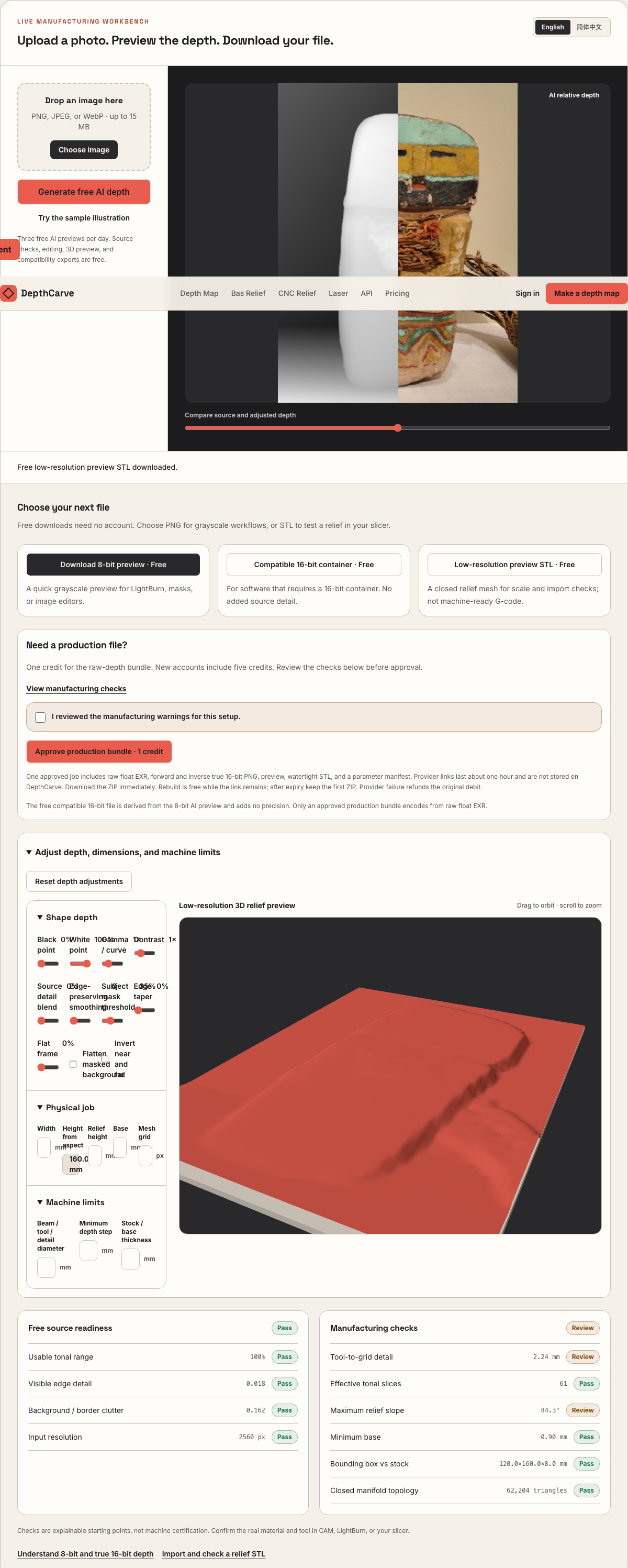
Live manufacturing workbench
Three free AI previews per day. Source checks, editing, 3D preview, and compatibility exports are free.
What happens to an ordinary photo (no login required):
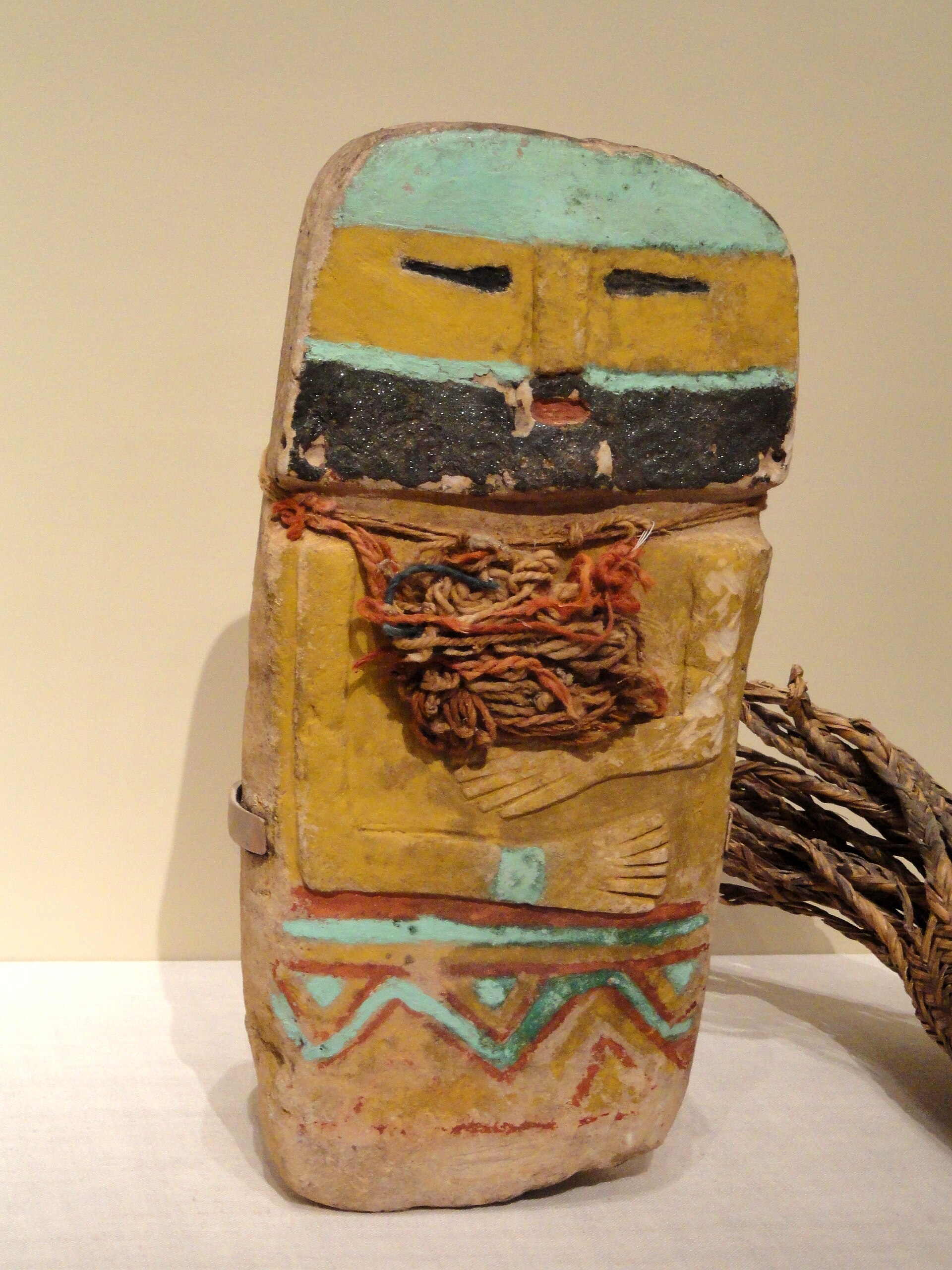
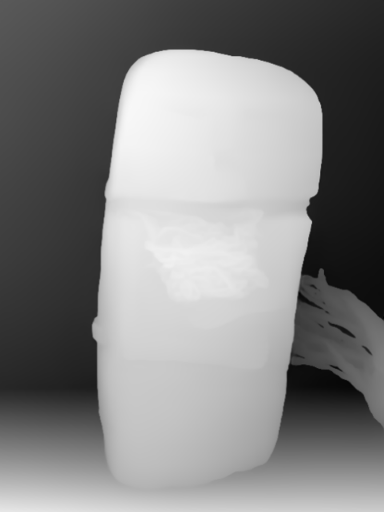
Camera shadows get separated from true 3D height—ready for CNC ball-nose finishing, LightBurn 3D Sliced laser, or resin/FDM printing.
Choose a source image to begin.
Free browser shop calculator · zero server cost
Check whether your planned cutter radius, finishing stepover, pixel width, and Z pass depth match the blank before generating a relief or importing into VCarve, Aspire, Carveco, or LightBurn.
Load a starting shop profile
Stepover & scallop height
0.15 mm · 3.8 µm
Flat-plane ball-nose cusp & finishing line count: 1,200 lines (R=0.75 mm)
Bit radius vs pixel pitch
8.5 px / R · Cutter-filtered
0.088 mm/px · min feature 1.50 mm. Multiple pixels sit inside one ball-nose radius; micro-details narrower than tool diameter are filtered physically.
Carving passes & backing stock
3 passes · 1.67 mm
Backing ≥ 1.5 mm (7.0 mm left)
8-bit vs true 16-bit Z step
19.6 µm vs 0.08 µm
High 8-bit terrace risk · 65 steps across 25% ramp (~1.41 mm terraces)
8-bit: 65 ramp levels · True 16-bit: 16,385 ramp levels
8-bit preview / compatibility PNG (256 max levels)
Discrete Z plateaus appear across gentle cheeks, backgrounds, and >256-slice Galvo jobs. Repackaging an 8-bit preview into a 16-bit container keeps the same 256 steps.
True 16-bit raw-float export (65,536 levels · 1 credit)
Encoded directly from MoGe2 raw float EXR in the Production ZIP alongside an inverse 16-bit PNG and watertight STL—keeping Z steps well below cutter scallop height.
Geometric screening only. This estimator never generates G-code, spindle speeds, feed rates, or laser power settings—always simulate in CAM and cut scrap first.
Heightmap to Solid Geometry
Raw heightmaps carry relative brightness with no physical units or base volume. Shaping the elevation curve, pinning the border floor, and extruding closed side walls turns an image field into a CAM- and slicer-ready STL solid.
Crop clutter before generating so the full Z-relief budget stays concentrated on the foreground subject instead of distant background walls.
Use black/white clipping, gamma, edge-preserving smoothing, and border taper to eliminate stray spikes before triangle triangulation.
Export a free preview STL to verify scale and wall integrity, then unlock the dense raw-float STL + 16-bit PNG ZIP for 1 credit.
Real work, real failure cost
The useful product is not the model call. It is the review loop that catches a reversed field, a noisy border, or an impossible relief before the next tool turns that mistake into wasted time.
01
Import closed millimeter STLs directly into 3D roughing and ball-nose finishing toolpaths without repairing non-manifold sheets.
02
Slice relief plaques, architectural tiles, and keepsake medallions with predictable flat Z=0 bed adhesion and zero open-edge errors.
03
Deliver clean, verifiable STL meshes paired with true 16-bit grayscale heightmaps from one reproducible workflow.
01
The fastest way to ruin a heightmap-to-STL conversion is letting arbitrary unit scaling create razor-thin 0.3 mm backing or exaggerated 18 mm vertical cliffs that trap a tapered ball-nose cutter. Always assign physical width, Z-relief amplitude, and solid backing thickness in millimeters before generating triangles.
Match your target software workflow in the table below, and run the CNC Pass Depth & Stepover Estimator above to check whether your bit radius or nozzle size can actually resolve the mesh spacing you picked.
| Receiving software | Typical Z-relief | Solid base | Import & orientation tip | Best DepthCarve file |
|---|---|---|---|---|
| Vectric VCarve Desktop / Pro | 4.0–7.5 mm | 3.0–6.0 mm | Import Component / 3D Model, center in material, verify Z-top gap | Watertight STL (1-credit dense production mesh) |
| Vectric Aspire / Carveco | 4.0–10.0 mm | 4.0–8.0 mm | Import STL directly or load true 16-bit PNG for non-destructive sculpting | 1-credit ZIP (Watertight STL + true 16-bit PNG) |
| Autodesk Fusion 360 | 2.5–8.0 mm | 3.0–5.0 mm | Insert Mesh (mm units), align Z-up, run 3D Adaptive + Parallel finishing | Watertight STL sized to avoid heavy mesh decimation |
| Bambu Studio / PrusaSlicer / Cura | 2.0–4.5 mm | 1.2–2.5 mm | Flat on build plate (front-lit) or vertical Y-axis (backlit lithophane) at 0.12 mm | Free preview STL for fit test; 1-credit STL for final print |
Confirm unit scale (millimeters) and check manifold status after import; DepthCarve exports verified geometry only and never outputs machine G-code.
02
Converting a compressed 8-bit JPEG or PNG heightmap directly into a dense 3D mesh bakes its 256 discrete gray levels straight into vertex Z coordinates. On a 6.4 mm carved hardwood relief, each 8-bit step jumps 25 microns—and across a gentle cheek or shield dome spanning only 30% of the tonal range, fewer than 80 discrete plateaus create terraced topography lines that show immediately under stain or raking shop light.
DepthCarve lets you validate composition and physical bounding boxes using free 8-bit previews and low-resolution preview STLs first. When you approve a 1-credit Production ZIP ($12 Maker Pack for 30 credits, $0.40/job), both the dense watertight STL and the forward/inverse true 16-bit PNGs are encoded directly from the raw 32-bit float EXR field.
03
Triangulating a 4000×4000 heightmap blindly generates over 30 million triangles that stall Fusion 360, balloon Bambu Studio project files, and add zero real detail beyond your 1.5 mm ball-nose cutter or 0.4 mm printer nozzle. Useful grid resolution is governed by physical pixel pitch: on a 160 mm plaque, a 512-grid sample spaces vertices every 0.31 mm—already finer than a 1.0 mm cutter radius.
Use the workbench grid slider to test lighter meshes first, inspect triangle count and manifold closure locally in our browser STL Viewer, and step up density only where fine organic contours genuinely demand smaller triangles.
04
Every physical workflow fails differently: FDM printers struggle with steep unsupported overhangs when printed upright, while CNC routers rub tool shanks against near-vertical 85-degree walls. Reducing total Z-relief height by 20% and adding a subtle edge taper around the perimeter almost always yields a cleaner carve and faster finishing pass than pushing contrast to the ceiling.
Keep model validation and machine calibration separate. Confirm framing, Z-polarity, and dimensions in DepthCarve's free 3D preview and built-in manufacturing checks, then simulate roughing clearance, tabs, and spindle feeds inside your own CAM or slicer.
Five bounded stages
Check source contrast, edge detail, border clutter, and resolution before an AI call is trusted.
Adjust the subject mask, background, curve, detail, smoothing, taper, frame, and real dimensions for free.
Compare beam or tool size, tonal slices, slope, base, manifold topology, and bounding box with the real setup.
Approve one successful production job only after the free 2D and 3D previews earn acceptance.
Download one verified ZIP and inspect it in LightBurn, CAM, or a slicer before committing production material.
Choose by next action
| Output | Use it for | It does not guarantee | Cost |
|---|---|---|---|
| 8-bit PNG | Preview, mask, laser and compositing tests | Physical scale or machine settings | Free |
| Compatible 16-bit PNG | Compatibility with grayscale depth workflows | Additional source precision | Free |
| Preview STL | Low-cost scale and import checks | Printability, tool reach, or safe G-code | Free |
| Production job bundle | Raw EXR, true 16-bit pair, STL, preview and manifest | Hidden surfaces or certified metric truth | 1 credit |
Straight answers
Yes. DepthCarve triangulates the shaped elevation top surface and seals it with four perimeter side walls and a flat bottom base at your chosen millimeter thickness so slicers and CAM packages recognize a closed manifold solid.
Match mesh grid resolution to your physical tool diameter or nozzle size rather than blindly maximizing triangle count. Start with a moderate grid in the free preview STL, verify smoothness in our local STL Viewer, and scale up only if curves show faceting at final millimeter width.
The free preview STL is a lower-resolution closed mesh meant for scale, framing, and import checks with no login required. One production credit unlocks a denser watertight STL built from raw 32-bit float depth alongside true 16-bit forward/inverse PNGs, the source EXR, and a validation manifest.
Yes. Use our free browser-only PNG Bit Depth Checker linked below to verify locally whether a grayscale heightmap carries real 16-bit elevation steps or only repackaged 8-bit plateaus—nothing is uploaded.
Tune backlit 0.8–3.2 mm lithophane walls for Cura, Bambu Studio, and Corian CNC.
Compare relative grayscale heightmaps for PBR shaders versus physical STLs.
Inspect triangle count, bounding box, and watertight closure locally in your browser.
Verify locally whether a heightmap PNG holds true 16-bit precision.
Preview the idea free. Pay 1 credit for production output.
Start without an account—3 free AI previews per day. Unlock raw EXR, true 16-bit PNG heightmaps, and watertight STL with the $12 Maker Pack (30 credits) or $39 Shop Pack (150 credits).