Recommended Ball-Nose Stepover
0.02 mm (8%)
Scallop cusp: 0.4 µm across 8,000 finishing lines
Backlit 3D Print & CNC Corian Lithophane Workflow
Turn customer portraits and keepsake photos into thickness-controlled lithophane meshes and true 16-bit heightmaps. Dial in minimum translucent floor, maximum shadow wall thickness, and closed STL walls for Cura, Bambu Studio, VCarve, Aspire, and Fusion 360 before spending filament or Corian stock.
Three free AI previews per day · no account to try · 1 credit unlocks raw EXR, true 16-bit PNGs & STL ($12 / 30 credits)
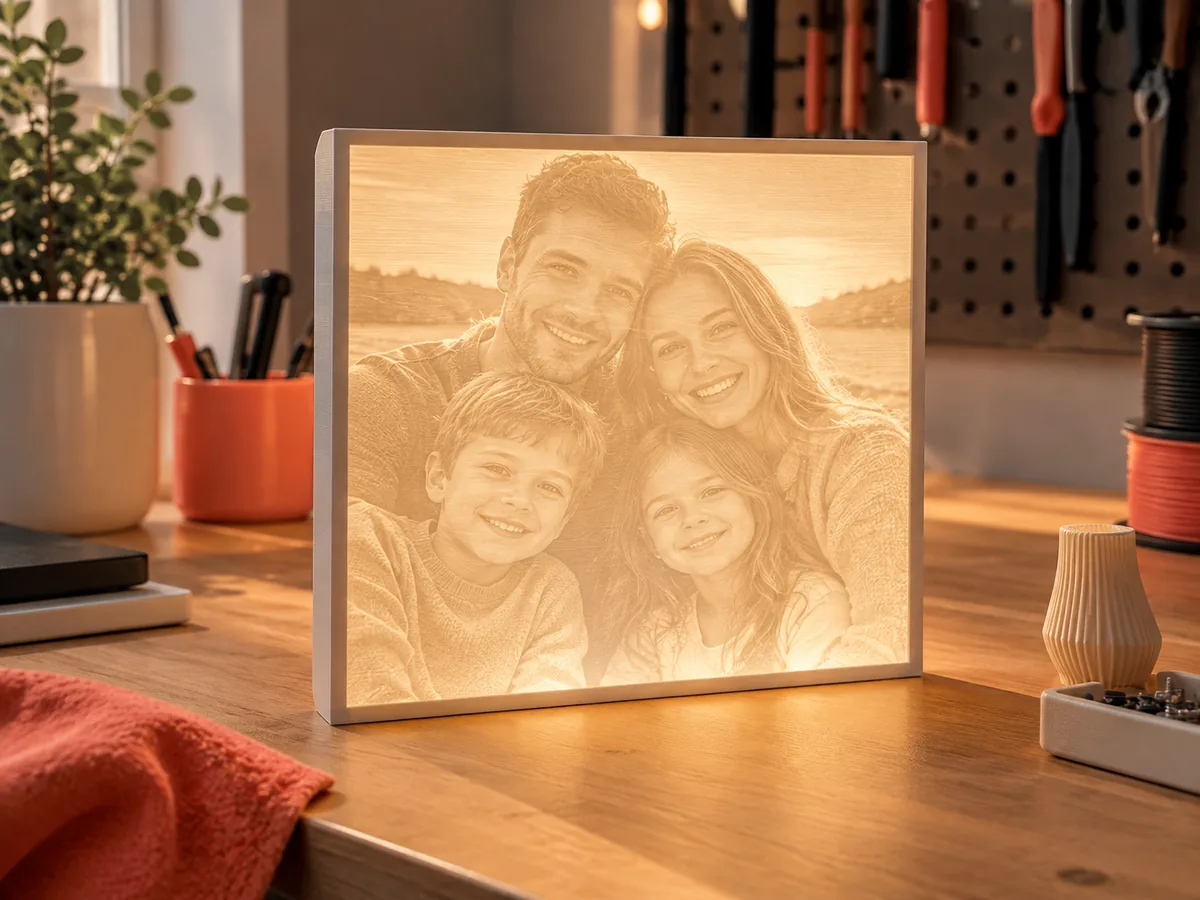
Live manufacturing workbench
Three free AI previews per day. Source checks, editing, 3D preview, and compatibility exports are free.
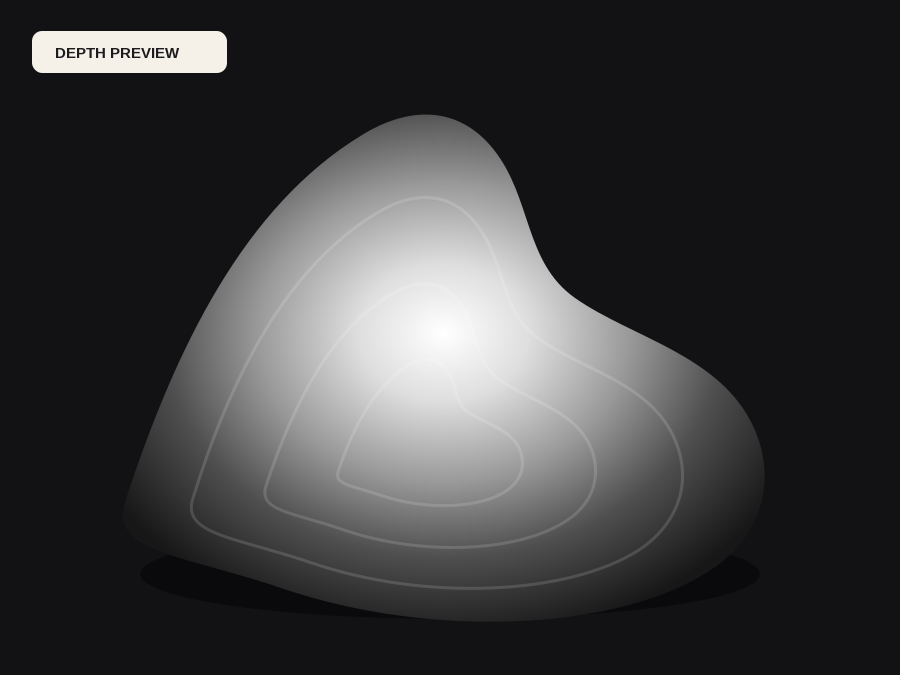
What happens to an ordinary photo (no login required):
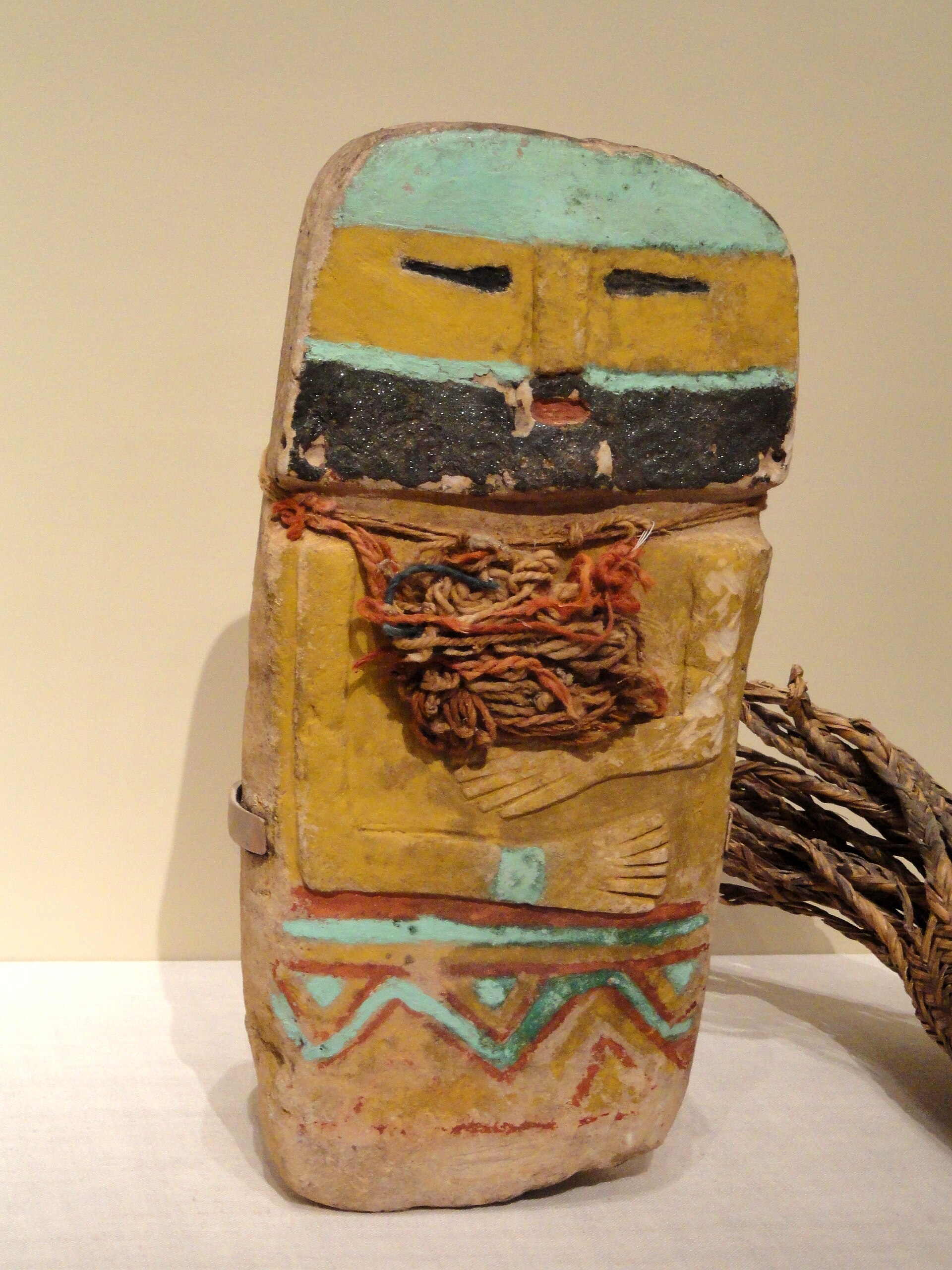
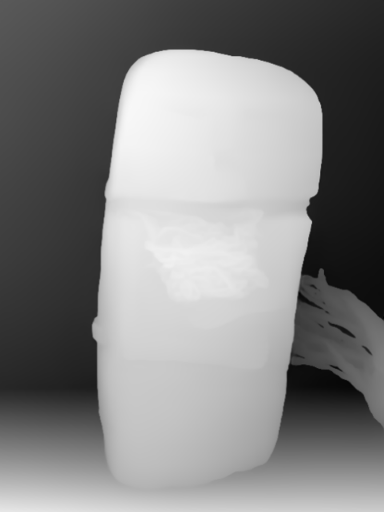
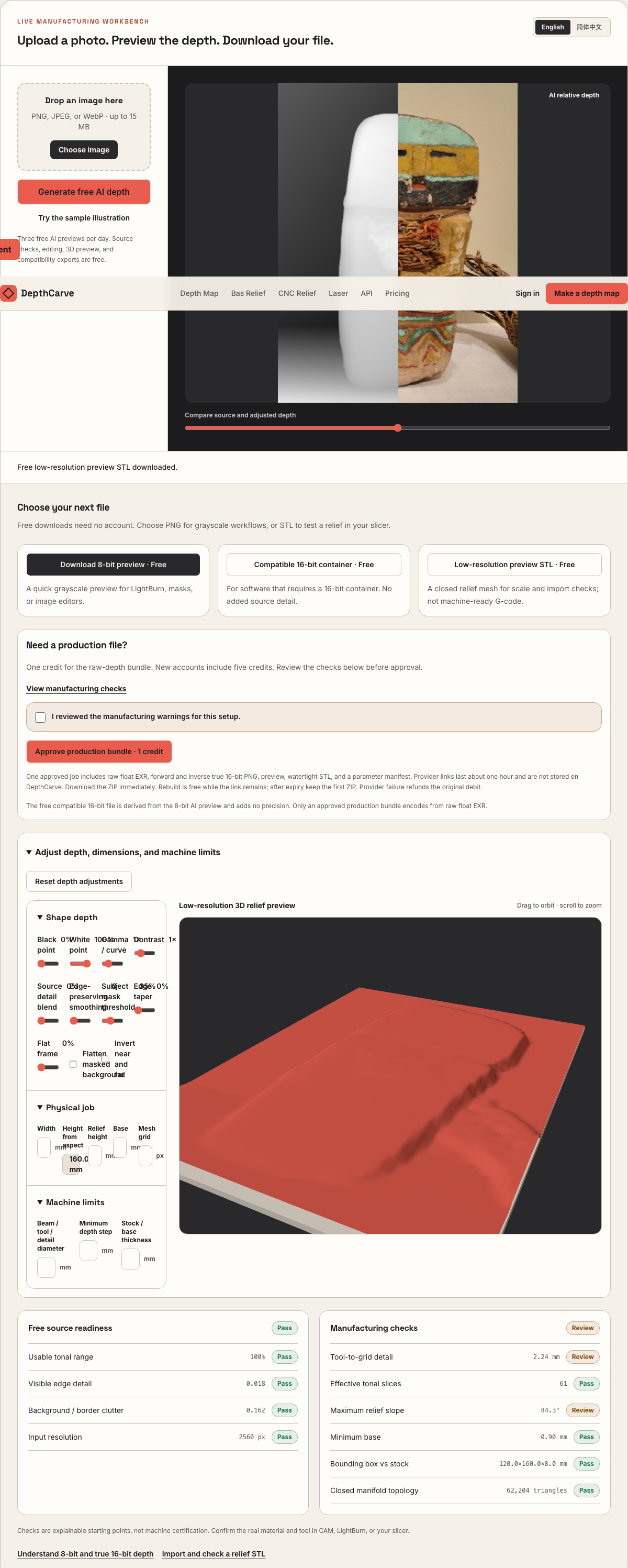
Camera shadows get separated from true 3D height—ready for CNC ball-nose finishing, LightBurn 3D Sliced laser, or resin/FDM printing.
Choose a source image to begin.
Interactive Pre-Purchase Helper · Zero API Cost
Select your fiber laser coin, CNC router sign, or 16-bit sculpting setup to calculate optimal 64–256 laser passes, ball-nose stepover, and true 16-bit vs 8-bit micron steps before spending a credit.
0.02 mm (8%)
Scallop cusp: 0.4 µm across 8,000 finishing lines
True 16-Bit PNG Essential (65,536 levels)
8-bit: 13.7 µm/step vs True 16-bit: 0.053 µm/step (19,662 vs 78 ramp levels)
Blender Cycles & ZBrush Alpha (32-Bit EXR + True 16-Bit PNG)
3 free/day · 1 credit/ZIP ($12 / 30 = $0.40 · $39 / 150 = $0.26)
3 free AI previews/day (no login) · 1 credit per Production ZIP ($0.40/job on $12 / 30-credit Maker Pack · $0.26/job on $39 / 150-credit Shop Pack)
Pure geometry & quantization calculator. Always verify Z direction, simulate toolpaths, and test scrap before production.
Real work, real failure cost
The useful product is not the model call. It is the review loop that catches a reversed field, a noisy border, or an impossible relief before the next tool turns that mistake into wasted time.
01
Produce repeatable backlit portrait panels in matte white PLA or PETG without blown-out highlights or fragile 0.4 mm pinholes.
02
Feed smooth true 16-bit heightmaps into Vectric Aspire, VCarve, or Fusion 360 so 0.8 mm floors never tear through during finishing.
03
Preview both front-lit AI bas-relief form and inverted backlit thickness polarity from the same customer photo before quoting.
01
Every backlit lithophane lives inside a narrow 2.0 mm to 3.0 mm optical window. Make the thinnest highlight too thick and warm LEDs look muddy; make it thinner than two printer perimeters or a freshly trammed Corian spoilboard tolerance and bright areas crack or puncture. Setting physical width, relief height, and solid base thickness in millimeters up front keeps the exported STL faithful when dropped onto your build plate or CAM blank.
Use the reference matrix below as a shop starting recipe, then verify your exact filament transmission distance or Corian sheet batch on a 40 mm test coupon before running a full-size customer order.
| Process & software | Min / max thickness | Layer or stepover | Orientation & fill | Recommended export |
|---|---|---|---|---|
| FDM 3D print (Cura / Bambu Studio) | 0.8 mm min / 2.8–3.2 mm max | 0.12–0.16 mm layer (0.4 mm nozzle) | Stand vertical along Y-axis · 99%–100% walls + brim | Watertight STL (free preview or 1-credit dense mesh) |
| MSLA resin print (Chitubox / Lychee) | 0.6 mm min / 2.6–3.0 mm max | 0.05 mm layer height | Tilt 10°–15° or print flat on build plate with light supports | Dense watertight STL from 1-credit raw-float ZIP |
| Corian CNC (VCarve Desktop / Pro) | 0.7–0.8 mm floor / 3.2–3.8 mm total | 0.8–1.5 mm tapered ball-nose · 8%–10% stepover | Single 45° raster pass on surfaced spoilboard | Closed manifold STL from 1-credit ZIP |
| Corian / Acrylic CNC (Aspire / Fusion 360) | 0.7–0.9 mm floor / 3.0–4.0 mm total | 1.0 mm ball-nose · 8% stepover (Fusion Parallel) | Verify Z-zero off spoilboard to protect 0.7 mm floor | True 16-bit forward/inverse PNG or watertight STL |
Starting benchmarks only—calibrate filament transmission distance, backlight Kelvin rating, and router chip load on scrap material first.
02
Laying a lithophane flat on an FDM build plate forces the entire photographic tonal range into only 15 to 20 Z-axis steps at a 0.12 mm layer height, creating visible contour rings across cheeks and sky gradients. Standing the panel vertically aligns the lithophane relief with the printer's much finer X/Y stepper resolution.
On bed-slinger printers, align the panel's long edge parallel to the Y-axis so bed acceleration travels along the panel's length instead of wobbling its thin face. Add an 8 mm–10 mm outer brim, set wall loops high enough to keep the relief solid plastic with zero internal infill grid shadows, and disable ironing on backlit faces.
03
A pure backlit lithophane maps dark photograph tones to thicker walls and bright tones to thinner translucent regions. If you want zero-credit local brightness-to-thickness conversion strictly for backlit PLA panels, you can open our browser-only Lithophane Maker preset anytime.
When your project combines backlit display with sculpted foreground relief—or when harsh shadows in a customer portrait would carve unnatural holes into a Corian plaque or wood shadow box—running DepthCarve's AI depth estimator first separates subject volume from background clutter. You get 3 free daily AI previews to compare both polarities before spending 1 credit ($0.40/job on the $12 Maker Pack) on the raw 32-bit EXR, forward and inverse true 16-bit PNGs, and dense watertight STL.
04
Open-surface height sheets fail slicer manifold checks and leave VCarve or Fusion 360 guessing where the back face sits. Every DepthCarve STL joins the top relief grid to solid perimeter walls and a flat bottom plane with explicit millimeter dimensions.
Inspect the free preview STL inside Bambu Studio, Cura, or our local STL Viewer to verify outer frame dimensions and thickness polarity. When fine skin tones or 16-bit Corian toolpaths show 8-bit stepping, approve one 1-credit production bundle for float-derived 65,536-level PNGs and a production mesh.
Five bounded stages
Check source contrast, edge detail, border clutter, and resolution before an AI call is trusted.
Adjust the subject mask, background, curve, detail, smoothing, taper, frame, and real dimensions for free.
Compare beam or tool size, tonal slices, slope, base, manifold topology, and bounding box with the real setup.
Approve one successful production job only after the free 2D and 3D previews earn acceptance.
Download one verified ZIP and inspect it in LightBurn, CAM, or a slicer before committing production material.
Choose by next action
| Output | Use it for | It does not guarantee | Cost |
|---|---|---|---|
| 8-bit PNG | Preview, mask, laser and compositing tests | Physical scale or machine settings | Free |
| Compatible 16-bit PNG | Compatibility with grayscale depth workflows | Additional source precision | Free |
| Preview STL | Low-cost scale and import checks | Printability, tool reach, or safe G-code | Free |
| Production job bundle | Raw EXR, true 16-bit pair, STL, preview and manifest | Hidden surfaces or certified metric truth | 1 credit |
Straight answers
Most matte white PLA and PETG filaments perform well between 0.8 mm minimum thickness (brightest highlights) and 2.8 mm to 3.2 mm maximum thickness (deepest shadows), printed vertically at 0.12 mm–0.16 mm layer height with solid walls. Test your exact spool against your LED panel first.
VCarve Desktop and VCarve Pro import the closed watertight STL directly into a single-sided 3D job, while Vectric Aspire can import either the STL or the true 16-bit inverse PNG bitmap. Fusion 360 users typically import the watertight STL via Insert Mesh and run a 3D Parallel finishing pass with a 1.0 mm tapered ball-nose.
Yes. Under our Terms, you retain the rights you hold in your source images and downloaded outputs, so you can manufacture and sell physical lithophanes or reliefs commercially when you hold permission for the underlying photo. DepthCarve does not charge per-item royalties.
You get 3 free AI depth previews per UTC day plus free shaping sliders, 8-bit PNGs, and preview STLs with no login required. An approved raw-float Production ZIP costs 1 credit ($12 Maker Pack = 30 credits; $39 Shop Pack = 150 credits), and any confirmed provider failure automatically returns the reserved credit.
Convert grayscale heightmaps into closed, millimeter-scaled STLs for CAM and slicers.
Use instant browser-only brightness-to-thickness mapping with no AI credits.
Dial in filament opacity, layer height, and backlight distance.
Compare backlit Corian polarity against front-lit hardwood relief carving.
Preview the idea free. Pay 1 credit for production output.
Start without an account—3 free AI previews per day. Unlock raw EXR, true 16-bit PNG heightmaps, and watertight STL with the $12 Maker Pack (30 credits) or $39 Shop Pack (150 credits).