3D & VFX Comparison
DepthCarve vs Blender displacement workflow (2026): when to use each
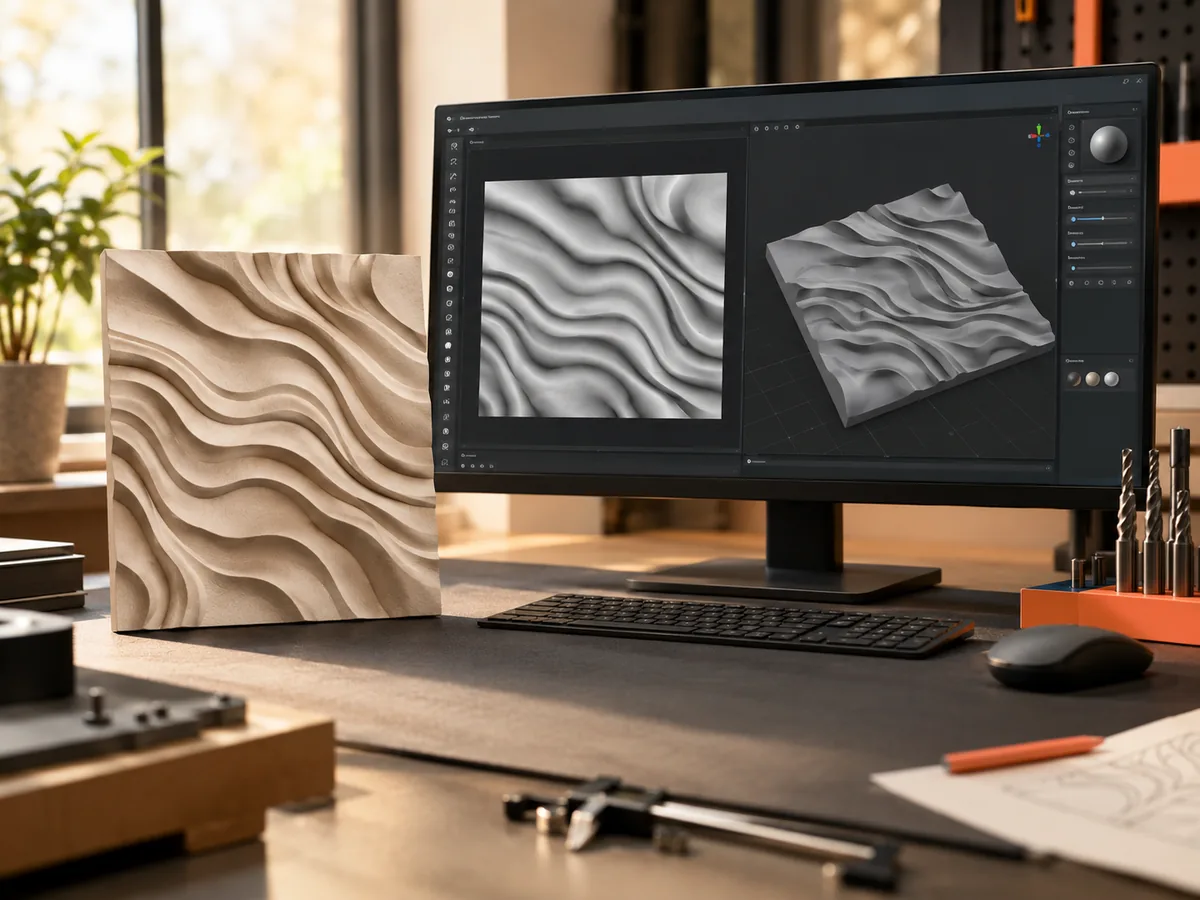
Blender is free, extraordinarily capable, and already installed in thousands of 3D and CNC studios—so why do seasoned Blender artists still use DepthCarve for photo reliefs? Because Blender does not estimate monocular 3D depth from a single photograph on its own. Feeding a raw grayscale photo into Blender's Displace modifier turns dark hair into dents and bright highlights into spikes. The smartest 2026 pipeline combines both: generate verified 32-bit float EXR, true 16-bit PNG, normal map, and watertight STL in DepthCarve in sixty seconds ($0.26/file on Shop Pack), then optionally sculpt accents or frame borders inside Blender.
Height map → normal PNG. Runs locally, no account needed.
Why raw photos fail inside Blender's Displace modifier
Every beginner tutorial eventually tries loading a black-and-white photograph directly into a subdivided plane with Blender's Displace modifier. The result looks like melted wax immediately: white teeth jut forward past the lips, dark eyebrows carve deep trenches across the forehead, and a sunny white wall behind a person leaps in front of their dark jacket.
That happens because photographs record surface albedo and reflected light, not geometric distance from the camera. Fixing that manually in Blender requires sculpting the entire subject from scratch in Sculpt Mode—a 2 to 6 hour artistic bottleneck that is impossible to scale for $70 custom plaques or rapid game-environment prototyping.
DepthCarve solves the missing front half of the pipeline: it infers clean camera-relative depth geometry from a single RGB image, lets you remap black/white clip ranges in the browser, and outputs a raw 32-bit float EXR plus true 16-bit PNG, watertight STL, and surface normal map ready to drop straight into Blender.
| Workflow Stage | DepthCarve + Blender Hybrid | Manual Blender Only |
|---|---|---|
| Single-photo depth estimation | Automated monocular neural depth in < 60 seconds | None built in (must install external Python/AI add-ons or sculpt by hand) |
| 16-bit / EXR height precision | Raw 32-bit EXR + verified true 16-bit PNG included per credit | Depends entirely on manually painted or third-party heightmaps |
| Watertight base & walls for CNC/3D print | Pre-closed watertight STL generated automatically | Manual Extrude, Solidify, Boolean & 3D Print Toolbox manifold repair |
| Prep time per portrait relief | 2 – 5 minutes total | 45 minutes – 4+ hours sculpting & fixing non-manifold edges |
| Cost per file | $0.26 on $39 Shop Pack (150 non-expiring credits) | $0 software fee, high labor opportunity cost |
Try the workflow
Convert a height map in your browser
Choose a height or depth image, adjust strength and green-channel direction, then download a normal PNG. No upload, account, or credits are required. A photograph's brightness is not measured height.
Free browser converter
Already have a height or depth map? Convert it to a normal map
Brightness is treated as height. The file stays in your browser; nothing is uploaded. Use the photo workbench when you want the height field estimated from a photograph instead.
A luminance-derived normal map infers surface direction from brightness. It is useful for height maps and quick material tests; it cannot recover geometry the image never recorded. Read the normal map workflow guide before using the map in a shader.
How to load DepthCarve EXR & 16-bit PNG into Blender with zero artifacts
When you want to customize a DepthCarve relief further inside Blender—for example, wrapping a portrait onto a curved goblet, adding custom 3D typography, or baking PBR game assets—import the **raw EXR** or **true 16-bit PNG** (`depth-16bit.png`) from your production ZIP and set the Image Texture node's **Color Space to Non-Color**. Leaving Color Space on sRGB applies a nonlinear gamma curve that compresses mid-tone facial volume and exaggerates bright peaks.
Next, add a `Subdivision Surface` modifier (Simple mode, level 5 or 6 depending on viewport RAM) above a `Displace` modifier referencing your Non-Color height texture. Set `Midlevel` to `0.0` so pure black rests cleanly on the Z=0 base plane, and dial `Strength` to real-world metric depth (such as `0.006` m for a 6 mm CNC plaque). Because the input is genuine floating-point EXR / 16-bit PNG, there is zero terracing even under harsh Cycles raking light.
For real-time Unreal Engine, Unity, or Three.js materials where million-triangle meshes are too heavy, pair our embedded browser Normal Map converter above with a low-poly plane—keeping crisp surface lighting detail at a fraction of the polygon budget.
Skipping Blender entirely when you just need a watertight STL
If your destination is Vectric VCarve, Carveco, Bambu Studio, PrusaSlicer, or Chitubox, you do not even need to open Blender. DepthCarve automatically builds a closed, manifold watertight STL with flat base geometry, sealed vertical perimeter walls, and verified outward normals inside the same 1-credit production ZIP. Skipping manual Solidify modifiers, Boolean cleanup, Decimate edge fixes, and 3D Print Toolbox manifold checks saves 20 to 40 minutes on every single client order.
When you do bring a DepthCarve file into Blender for custom ornamental frames, curved surface shrink-wrapping, or bespoke engraved lettering, start either from the watertight STL (for rapid Boolean union with custom borders) or from the raw 32-bit float EXR (for maximum sculptural flexibility on adaptive subdivision planes in Cycles). Both formats arrive together in the same production archive so your 3D artists never compromise precision.
Choosing between DepthCarve's Maker, Shop, and Production tiers for 3D studios
Freelance 3D artists and game environment designers who need occasional custom stone reliefs, architectural trims, or portrait medallions usually start with the $12 Maker Pack (30 non-expiring credits, $0.40/file) or the $39 Shop Pack (150 non-expiring credits, $0.26/file, saving 35% with zero subscription auto-renewal). High-throughput asset studios, print-on-demand storefronts, and SaaS tools automating texture/mesh pipelines step up to Production ($99/month · 1,500 credits · $1,188/year annualized · 60 req/min REST API). Regardless of tier, every confirmed upstream failure automatically refunds the credit so your Blender pipeline never pays for broken outputs, and every paid production bundle ships with full commercial licensing for client assets and physical products, including verifiable JSON manifests for repeat client deliveries.
Before the file moves forward
Final checklist
- Always set Blender Image Texture Color Space to Non-Color for EXR and 16-bit PNG depth maps.
- Place Simple Subdivision Surface above the Displace modifier with Midlevel set to 0.0.
- Use the included watertight STL directly when heading straight to CNC CAM or 3D slicers.
- Use the browser-local Normal Map converter above for lightweight real-time PBR assets.
- Inspect depth ordering on DepthCarve's free preview before approving a production credit.
Straight answers
Questions this workflow raises
Why does my depth map look distorted when I load it into Blender?
Almost always because Blender defaults Image Texture Color Space to sRGB. Switch Color Space to Non-Color so Blender reads height values linearly without gamma distortion.
Does DepthCarve export raw EXR files for Blender and VFX compositing?
Yes. Every 1-credit production bundle includes raw floating-point EXR, verified true 16-bit forward and inverse PNGs, a watertight STL, and a manifest.
Can I convert a heightmap to a normal map for Blender without spending credits?
Yes. The interactive Normal Map converter embedded above runs 100% locally in your browser with $0 cost and zero file uploads.
When should I import the DepthCarve STL into Blender instead of using Displace?
Import the watertight STL when you want immediate real-world thickness, closed side walls, and fast Boolean framing without setting up dense subdivision modifiers.
No-login product advisor · Grounded in live export specs
Questions before exporting? Get straight answers on 16-bit depth, CAM & billing
Why does true 16-bit PNG matter for CNC wood relief and fiber laser engraving?
Standard 8-bit grayscale has only 256 height steps, which produces visible stair-stepping bands across faces and shallow curves. One DepthCarve production credit decodes raw floating-point EXR depth into 65,536-level true 16-bit forward and inverse PNGs plus a verified watertight STL.
Continue with a specific output
Normal Map vs Height Map (2026 PBR Guide)
When to use normal, bump, and 16-bit displacement maps in Blender/Unity/Unreal.
16-Bit vs 8-Bit CNC Banding Test
Quantified Z-step math showing why 16-bit eliminates contour rings.
DepthCarve Pricing
Pay-per-job Maker ($12) & Shop ($39) packs plus $99/mo Production API.